
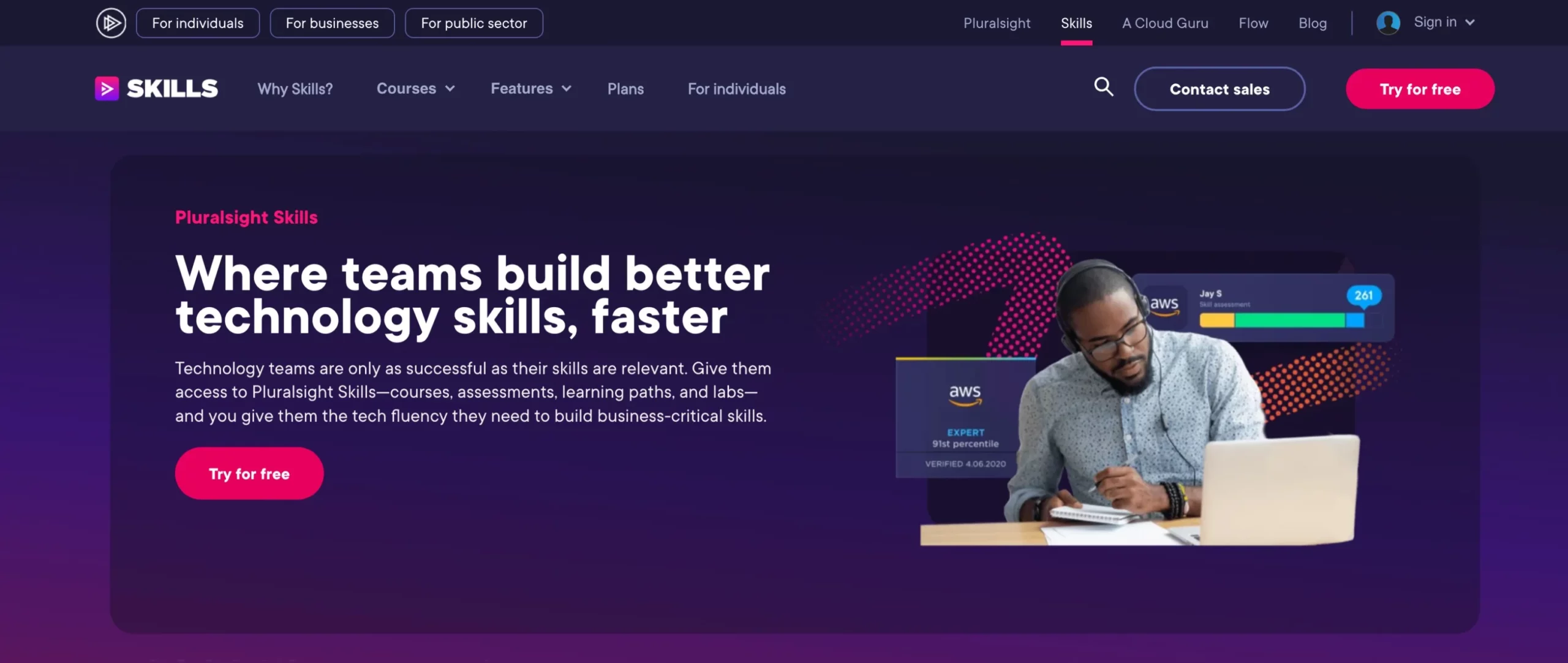
Want to try Pluralsight free before you pay? Here is the straight answer: the Pluralsight free trial lasts 10 days on every individual plan, not 30, and you need a card, PayPal or another payment method to start it. Pluralsight places a temporary $1 hold that is reversed, and the trial turns into a paid plan on day 11 unless you cancel. After the trial, the cheapest plan is Core Tech at $21 a month on yearly billing (prices checked on 19 Oct 2026). Below you get the trial rules at a glance, step-by-step sign-up and cancel instructions, what teams get, and the questions people ask most.
Pluralsight Free Trial 2026 at a Glance
Everything in this table comes from Pluralsight’s free trial page and its help center, checked on 19 Oct 2026.
| Question | Answer |
|---|---|
| Trial length | 10 days for individuals; billing starts on the 11th day |
| Eligible plans | Core Tech, AI+, Cloud+, Data+, Security+ and Complete |
| Payment details needed? | Yes. Card, PayPal, Google Pay, Amazon Pay or UPI (India); a temporary $1 USD hold is placed and reversed |
| What you can use | The plan’s full course library, Skill IQ assessments, certification prep, learning paths and a selection of hands-on labs |
| What is locked | Offline downloads, the Hands-on Playground, full lab access and sandbox features |
| Reminder before billing | Pluralsight emails you before the trial ends |
| Refunds after billing | None. Pluralsight’s help center says it does not offer refunds |
| Team trial | 14 days for 10 or fewer users on the Teams plan; bigger pilots go through sales |
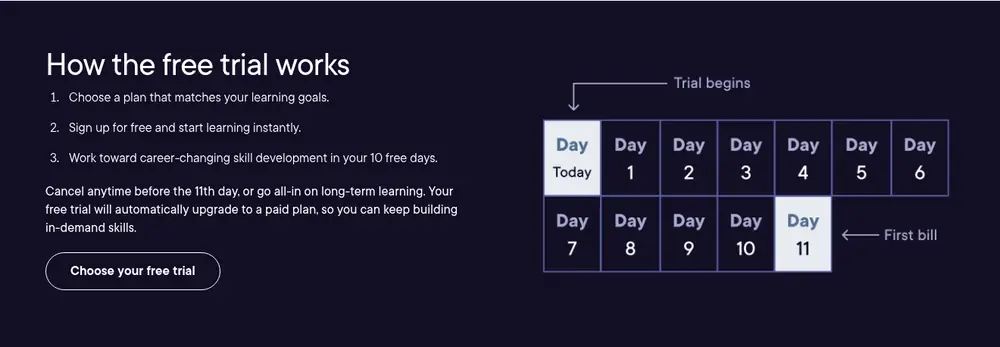
Older guides, including an earlier version of this one, promised a 30-day Pluralsight trial. Pluralsight’s own pages no longer offer that to individuals: the individual trial is 10 days, and team trials are 14 days or a length agreed with sales.
What Pluralsight Costs After the Free Trial
When the 10 days end, you are billed for the plan and billing period you picked at sign-up. Prices checked on 19 Oct 2026 on Pluralsight’s individual and business pricing pages:
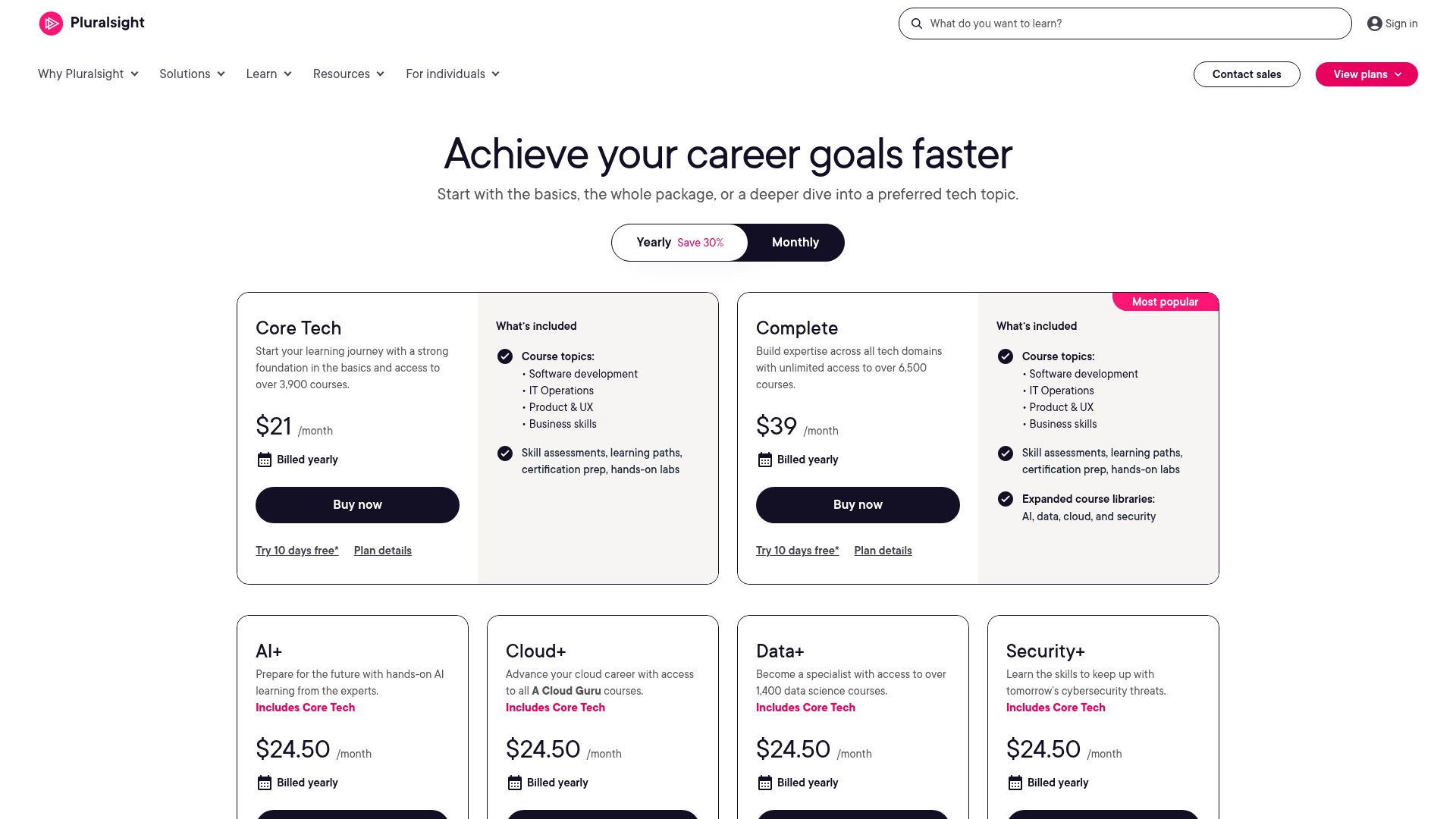
| Plan | Monthly billing | Yearly billing (per month) | Free trial |
|---|---|---|---|
| Core Tech | $30/mo | $21/mo ($252 a year) | 10 days |
| AI+, Cloud+, Data+ or Security+ | $35/mo | $24.50/mo ($294 a year) | 10 days |
| Complete | $55/mo | $39/mo ($468 a year) | 10 days |
| Teams (2 to 20 users) | Not listed | $47/mo per user, billed annually | 14 days, up to 10 users |
| Enterprise | Contact sales | Contact sales | Pilot through sales |
Choosing yearly billing at sign-up is the biggest saving Pluralsight offers outside a time-limited sale. Our Pluralsight coupon code page lists every verified way to pay less, including the 50% sale that ran from June 19 to July 6, 2026.
How to Start the Pluralsight Free Trial
These steps follow Pluralsight’s own help-center instructions.
Step 1: Pick a plan on the pricing page
Open Pluralsight’s individual pricing page, set the toggle to monthly or yearly, and click Try 10 days free on the plan you want. Pick the plan you would actually keep, because the trial converts to that exact plan and billing period on day 11.
Pluralsight 10-Day Free Trial

Works on every individual plan
- 10 days of the plan’s full course library
- Skill IQ assessments and certification prep
- Card, PayPal or UPI; $1 hold that is reversed
- Then from $21/mo on yearly Core Tech
Step 2: Create your account or sign in
Enter your email address to create a new account, or click Sign-in if you already have a free Pluralsight account. Then add your first and last name and a password and click Join for free.
Step 3: Add a payment method
Enter a card or choose PayPal, Google Pay, Amazon Pay or, in India, UPI, then click Continue. You are not charged now, but Pluralsight places a temporary $1 USD hold that is reversed. Indian cards also trigger a recurring-payment mandate, so expect an OTP from your bank before the first real charge.
Step 4: Review the terms and start learning
Check the plan, the billing period and the date your trial ends, then click Start free trial. You can start watching courses straight away, and Pluralsight sends a reminder email before the first bill.
How to Cancel the Pluralsight Free Trial Before Day 11
- Sign in to your Pluralsight Skills account.
- Click your avatar and choose Account settings.
- Open the Subscription & Billing tab and click Manage plan.
- Click Cancel, skip or fill in the feedback, and click Continue with cancellation.
- Click Confirm cancellation.
Cancelling a trial ends paid access immediately, unlike a paid plan, which keeps working until the end of the period you paid for. Your account, history and certificates stay, and Pluralsight restores your progress if you subscribe later. The billing system does not charge at midnight, so cancel at least a day before the 11th to be safe.
Pluralsight Free Trial for Teams
Teams get a longer test. Pluralsight’s help center describes a 14-day team trial for 10 or fewer users on the Teams plan ($47 per user a month, billed annually). You start it from the business pricing page with Try for free, and billing details are required. For more than 10 users, or to skip the billing step, email Pluralsight sales with the subject Pilot Inquiry to set up an Enterprise pilot; Pluralsight’s business pricing page says that trial length is agreed during onboarding. Team trials convert to paid automatically, so ask your Pluralsight contact to cancel before day 14 and remove all users if you do not continue.
How to Get the Most From 10 Free Days
- Take a Skill IQ assessment on day one. It shows your gaps, so you spend the trial on courses that matter.
- Follow one learning path, not ten courses. A path gives you a clear finish line inside 10 days.
- Use the included labs early. Only a selection of labs is open during the trial, so check whether the ones you need are there before you pay.
- Plan to stream, not download. Offline downloads unlock only after you pay, so keep the trial to online viewing.
- Upgrade early if you are sure. You can switch to paid before day 11 for full labs and downloads, and Pluralsight charges a prorated amount.
Can You Use Pluralsight Free for Longer Than 10 Days?
Not with a full trial. Pluralsight does not publish a 30-day or extended individual trial, and it says it cannot honour past pricing or discounts if you trialled or subscribed before and cancelled. What you can keep for free is a basic Pluralsight account with access to the free limited library, your history and your certificates. If 10 days is too short to decide, see how it stacks up in our Pluralsight vs LinkedIn Learning comparison or browse the best Pluralsight alternatives before you commit.
Pluralsight Free Trial FAQs
The Pluralsight free trial lasts 10 days on individual plans. If you do not cancel, it converts to the paid plan you chose on the 11th day. Team trials on the Teams plan last 14 days for up to 10 users.
Yes. Pluralsight requires payment details to start an individual trial: a card, PayPal, Google Pay, Amazon Pay or UPI in India. It places a temporary $1 USD hold that is reversed and does not charge you until the trial ends.
All six individual plans: Core Tech, AI+, Cloud+, Data+, Security+ and Complete. The trial gives you that plan’s course library, so trialling Complete shows you every library.
Pluralsight keeps offline downloads, the Hands-on Playground, full lab access and sandbox features for paid subscribers. The trial includes only a selection of hands-on labs.
Pluralsight’s help center says it does not offer refunds. Cancel from Account settings, then Subscription and Billing, before day 11; it emails a reminder before the first charge.
On yearly billing, Core Tech is $21 a month, AI+, Cloud+, Data+ and Security+ are $24.50 a month, and Complete is $39 a month. Monthly billing costs $30, $35 and $55 (prices checked 19 Oct 2026).
Next Steps
If you want to test Pluralsight properly, start the 10-day trial on the plan you would keep, take a Skill IQ assessment first, and set a reminder for day 9. If it is not for you, cancel from Subscription & Billing before day 11, because Pluralsight does not refund individual plans.


Comments
Be the first to leave a comment.