

Elementor Pricing includes a free WordPress option as well as paid plans for users who require advanced website design, marketing, WooCommerce, dynamic content, and site management features. In 2026, Elementor’s Pro lineup is based on the number of websites covered by each license. Elementor One plans go further by combining website creation with AI, image optimization, accessibility, email delivery, and website management services.
The paid options are currently offered with annual billing on the pricing page. Elementor also provides a 30-day money-back guarantee on eligible annual plans, and applicable taxes depend on the billing address.
Elementor Pricing at a Glance
Elementor Plan | Price | Websites | Best For |
Free | $0 | Unlimited | Basic WordPress websites |
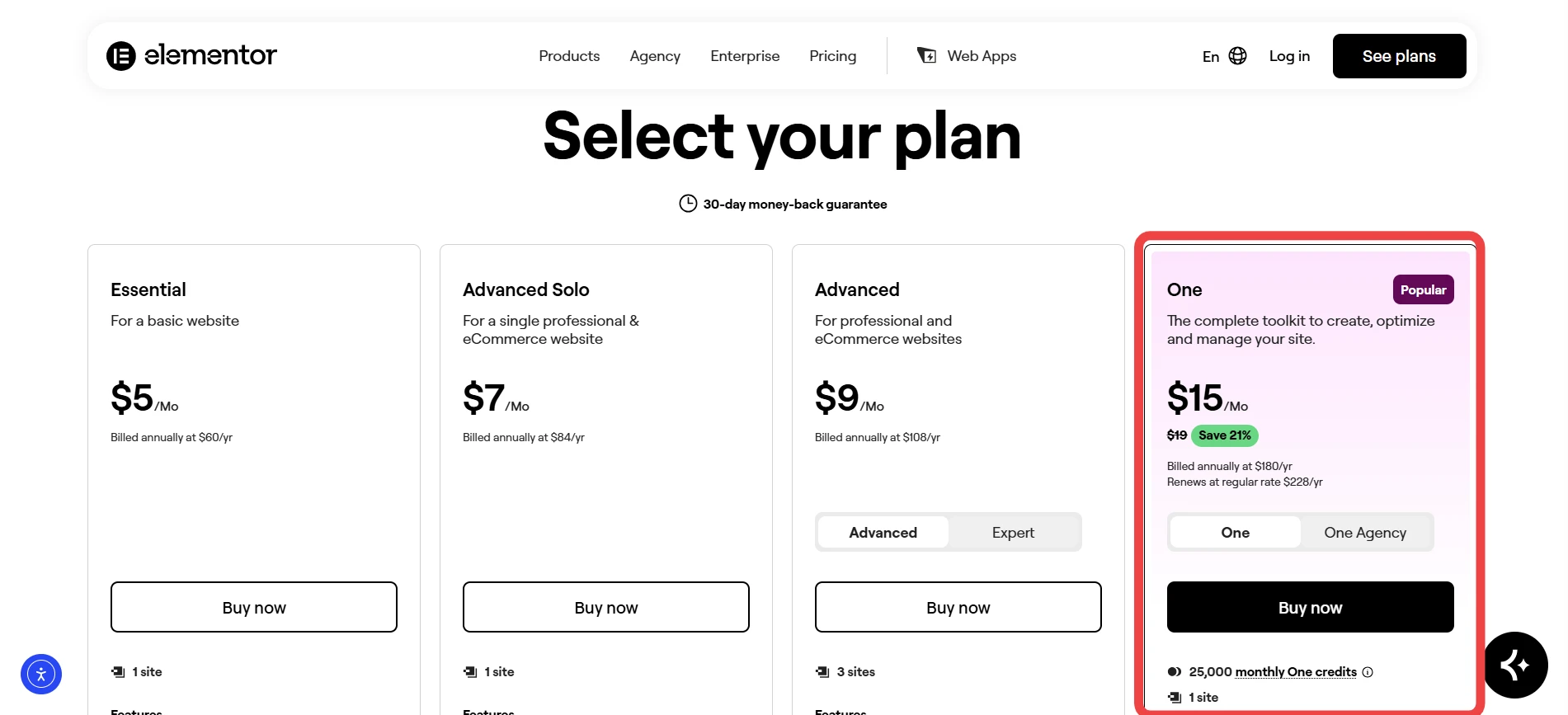
Essential | $60/year | 1 | Basic business or personal website |
Advanced Solo | $84/year | 1 | Professional single website |
Advanced | $108/year | 3 | Freelancers and small teams |
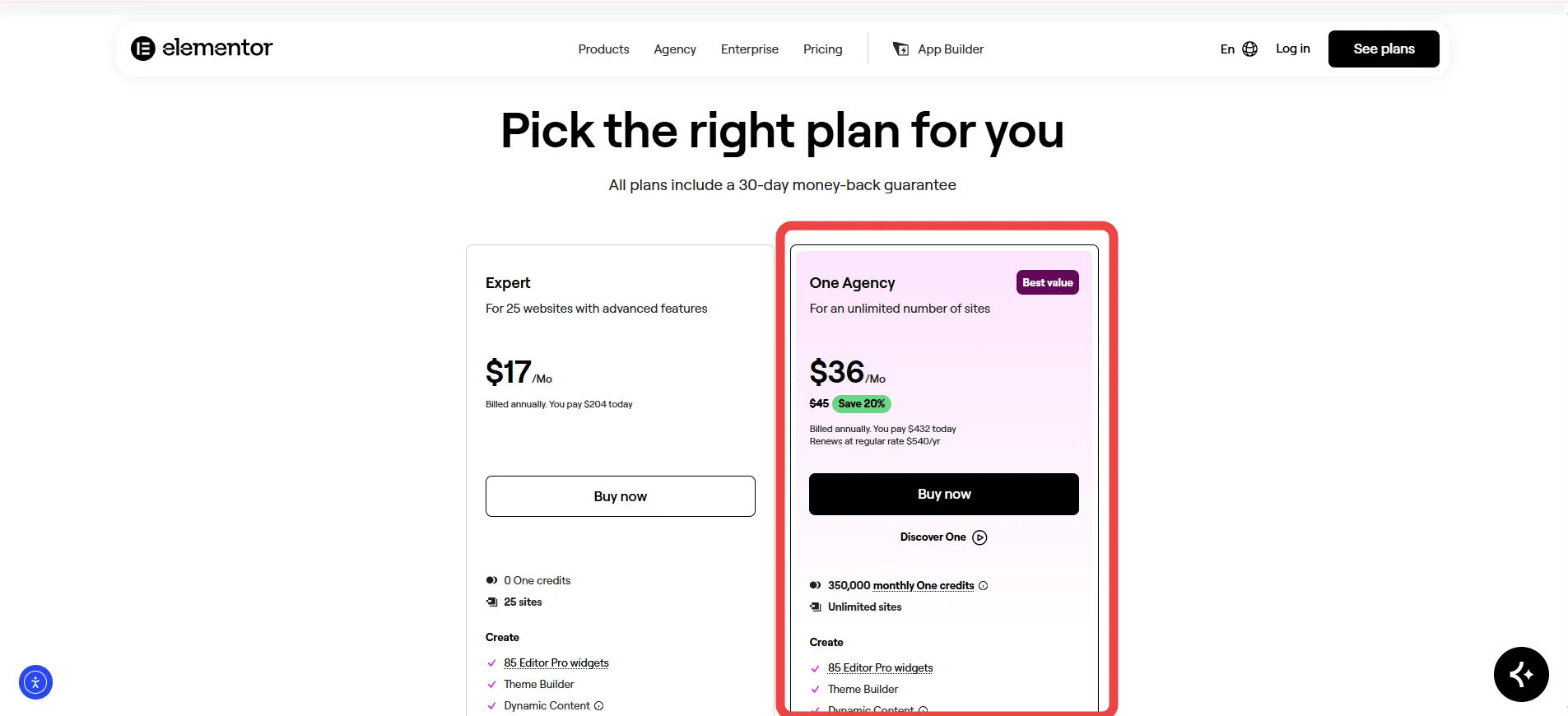
Expert | $204/year | 25 | Freelancers managing multiple sites |
Elementor One | $180/year | 1 | Complete website creation and management |
Elementor One Agency | $432/year | Unlimited | Agencies and large site portfolios |
Elementor’s public pricing separates the Pro plans from Elementor One. Prices are displayed in USD before applicable taxes, and the final checkout amount may differ slightly because the displayed prices are rounded.
Latest Elementor Pricing 2026
Elementor’s paid offerings currently fall into two groups: Pro plans for advanced WordPress website building and Elementor One for users seeking additional creation, AI, optimization, and management services.
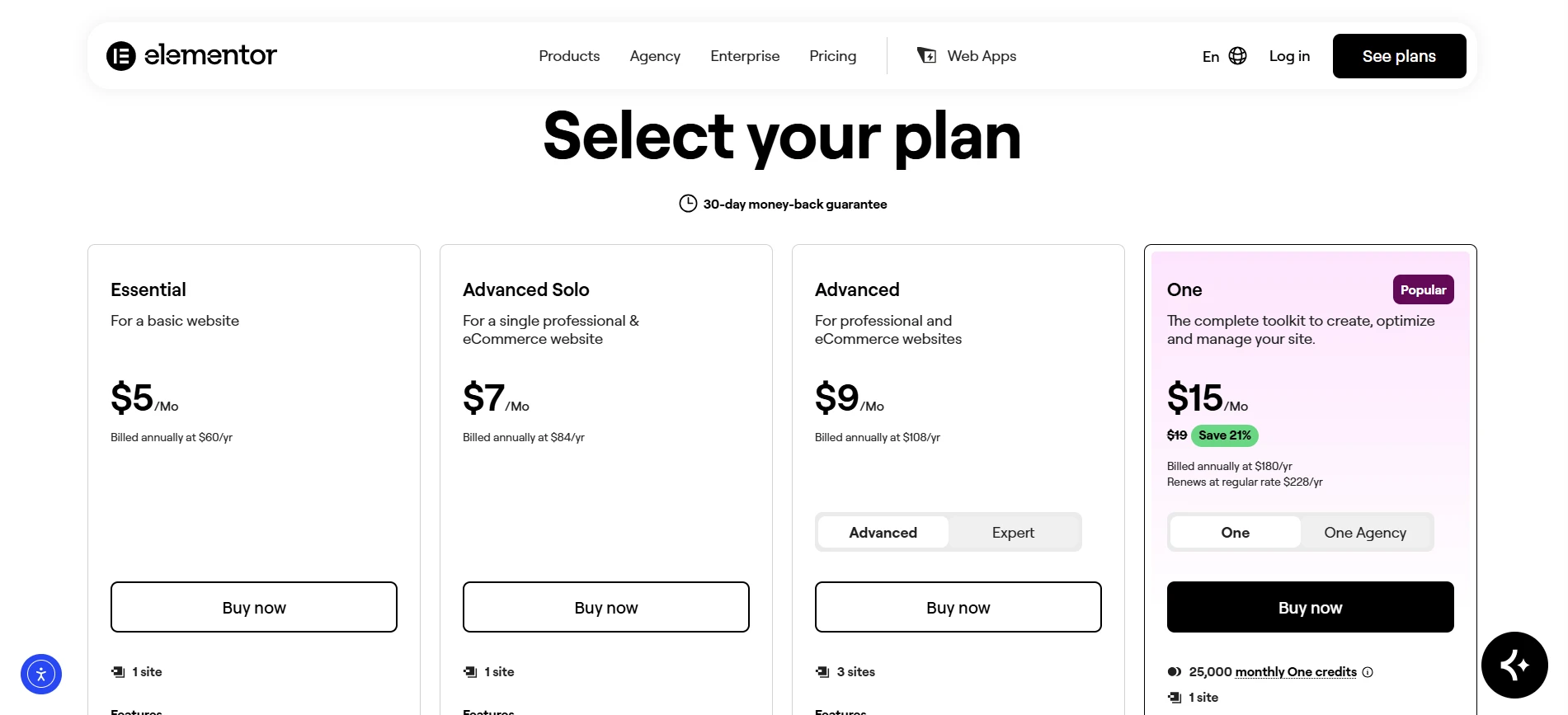
Pro plans start with Essential for one website and extend to Expert for 25 sites. One adds services that use monthly credits.
1. Elementor Essential Pricing
Price: $60/year for 1 website
Essential is the lowest-priced paid Elementor plan. It is intended for users who need capabilities beyond the free editor while creating a relatively simple website. Theme Builder and additional widgets are included, but several advanced business tools are not.
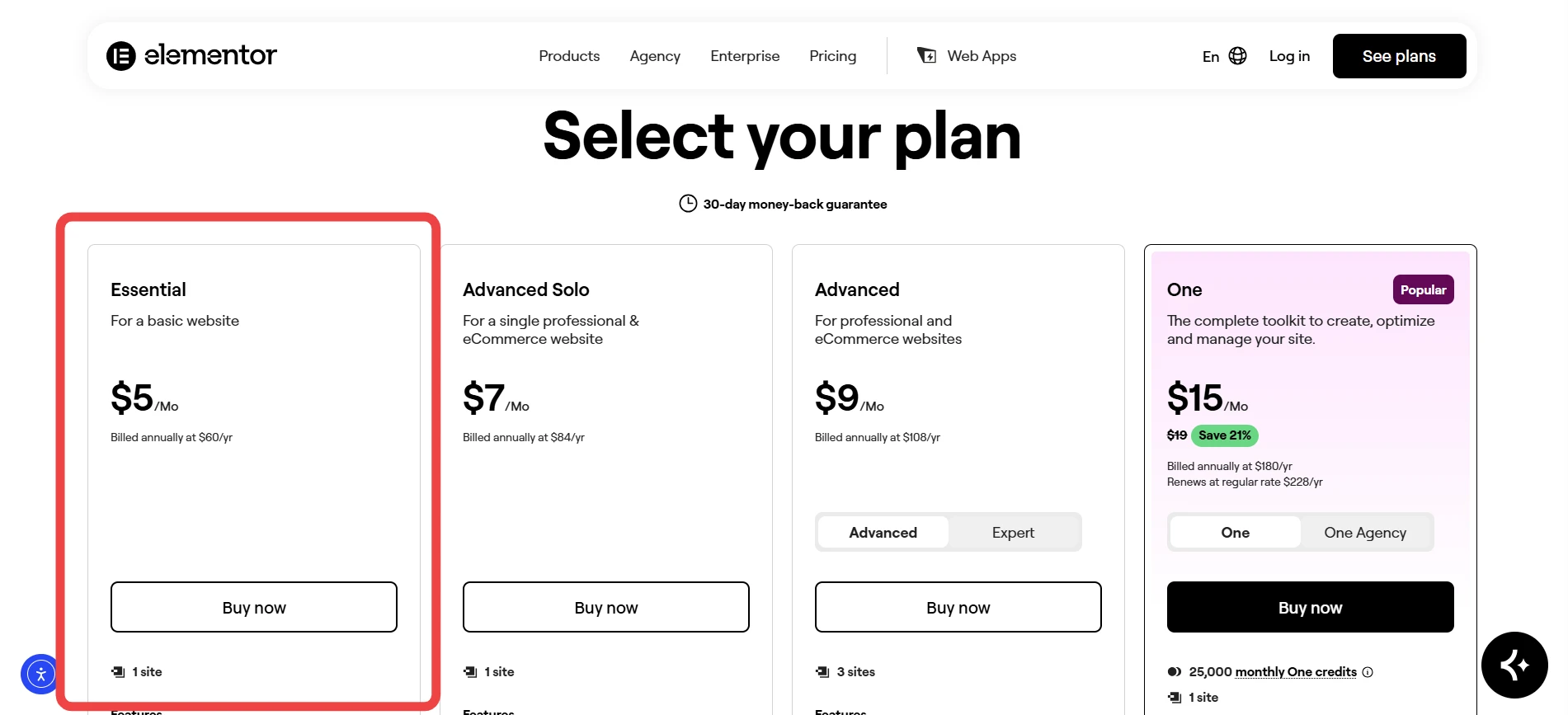
Essential Features
Website license: Install Elementor Pro on 1 website.
Design tools: Access 57 Pro widgets, according to Elementor’s current Pro comparison, along with advanced design controls.
Theme Builder: Customize key website areas, including headers, footers, posts, and archives.
Cloud Templates: Keep up to 10 Cloud Templates.
Dynamic Content: Connect WordPress content to Elementor designs, although custom fields and post types are unavailable.
Forms: Build forms, but form submissions and associated lead-management features are not included.
Missing advanced tools: Popup Builder, custom code, custom CSS, eCommerce features, and Collaborative Notes are not part of the plan.
Best for: Bloggers, portfolio websites, and simple business sites that do not require WooCommerce or advanced lead-generation functionality.
2. Elementor Advanced Solo Pricing
Price: $84/year for 1 website
Advanced Solo is designed for users who want a more complete professional website while requiring only one license. It introduces features that are particularly useful for business sites and online stores.

Advanced Solo Features
Website license: Build and manage 1 website.
Design features: Get the full Pro widget collection and advanced customization controls.
Theme Builder: Modify headers, footers, archives, posts, and other theme components.
Dynamic Content: Connect custom fields and post types with dynamic content.
Marketing tools: Create forms, manage submissions, integrate forms, and build popups.
eCommerce: Use WooCommerce Builder with PayPal and Stripe integrations.
Advanced controls: Access custom code, custom CSS, global CSS, Collaborative Notes, and other professional capabilities.
Best for: Business owners, freelancers, bloggers, and store owners who need one fully featured WordPress website.
3. Elementor Advanced Pricing
Price: $108/year for 3 websites
Advanced expands the website allowance from Advanced Solo’s single site to three sites while retaining the same general professional feature set. It is therefore more useful for freelancers and small teams managing several websites.
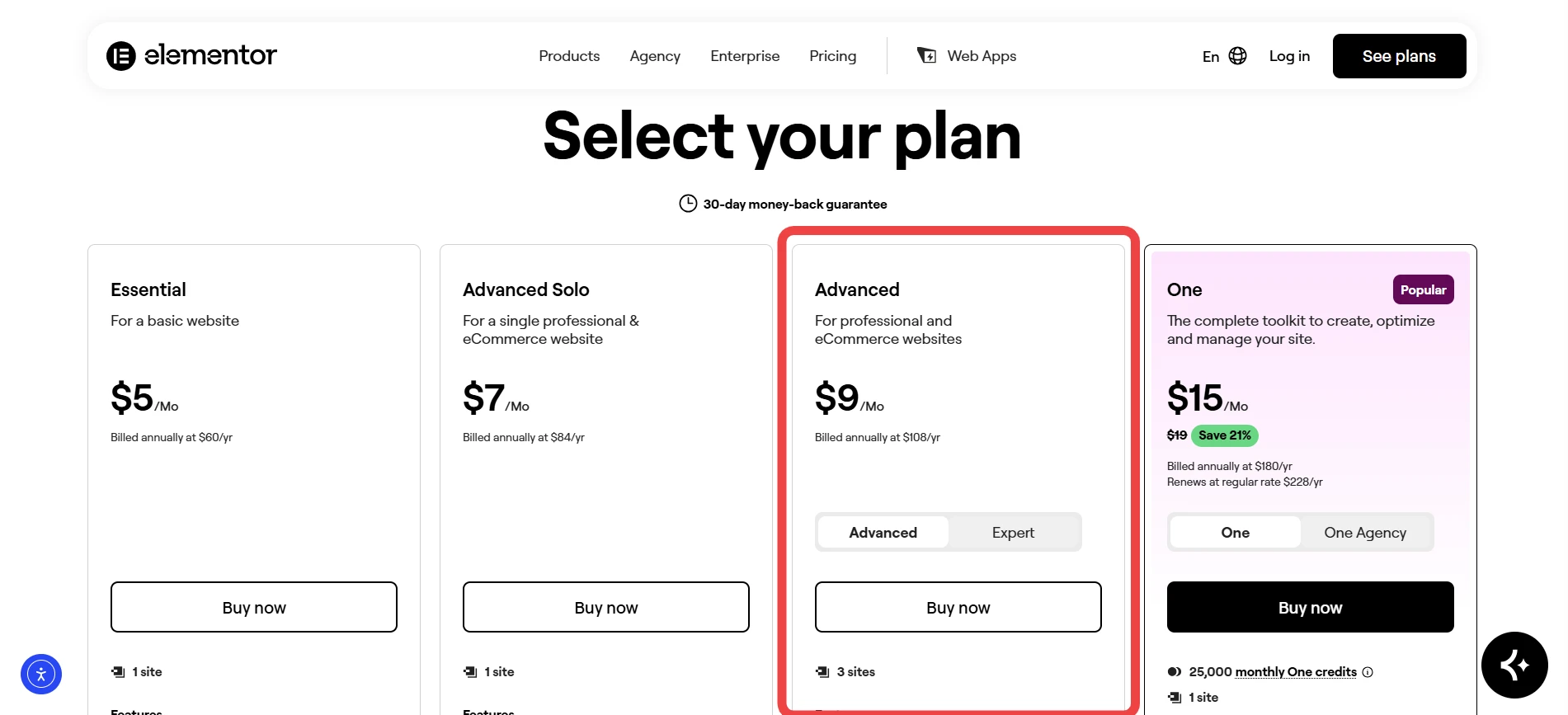
Advanced Features
Website licenses: Use Elementor Pro on up to 3 websites.
Pro widgets: Get the complete advanced widget set.
Theme Builder: Design complete WordPress layouts rather than customizing only individual pages.
Dynamic Content: Connect custom fields and post types with your designs.
Marketing: Create forms, track form submissions, use integrations, build popups, and add custom attributes.
eCommerce: Create WooCommerce pages and connect supported payment integrations.
Development tools: Use custom code, custom CSS, global CSS, Collaborative Notes, and other advanced controls.
Best for: Freelancers, small agencies, and businesses managing several WordPress websites.
4. Elementor Expert Pricing
Price: $204/year for 25 websites
Expert targets professional website creators who need Elementor Pro across a sizable collection of websites. The license covers up to 25 sites while retaining the professional functionality.
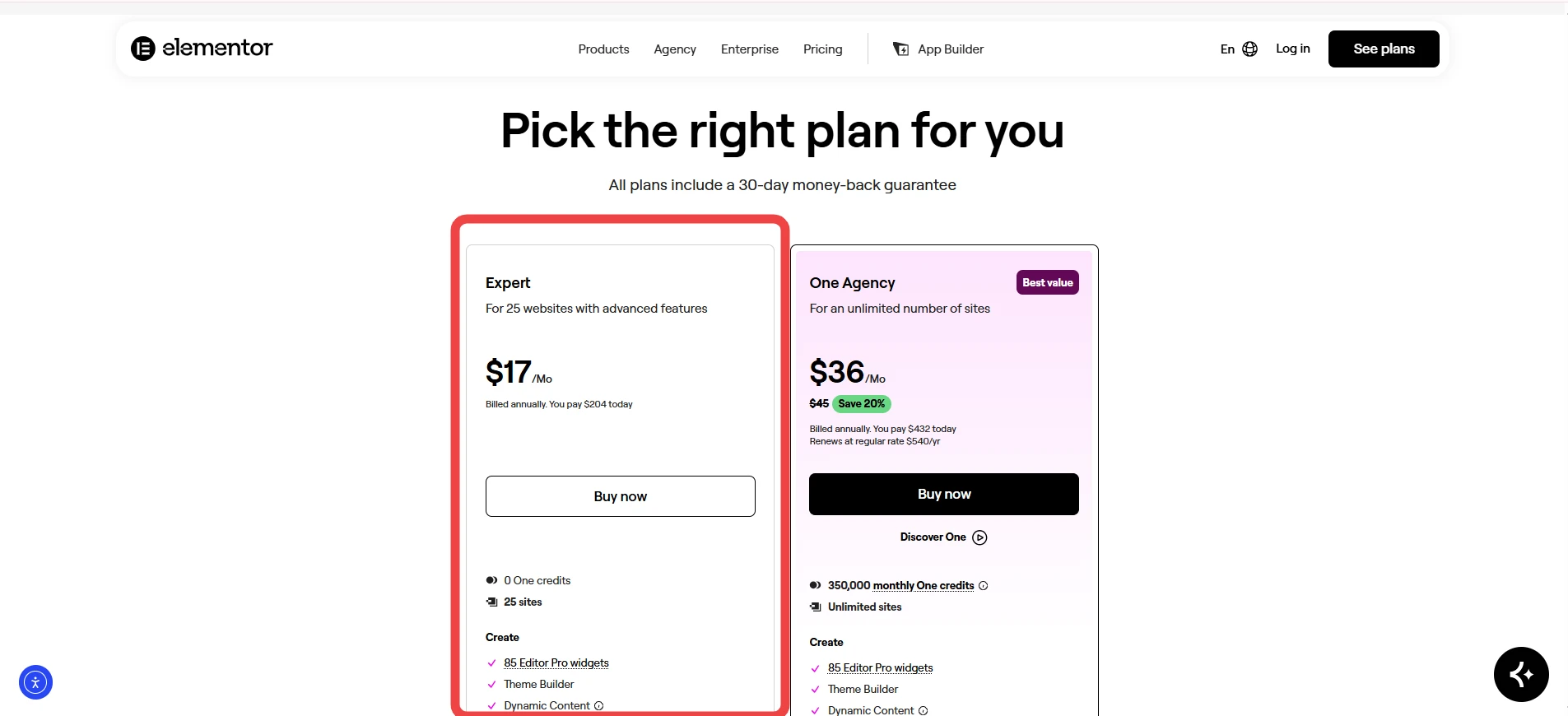
Expert Features
Website licenses: Activate Elementor Pro on up to 25 websites.
Design system: Use the full Pro feature set and advanced customization tools.
Theme Builder: Build custom layouts throughout your website portfolio.
Dynamic Content: Connect custom fields and post types.
Marketing tools: Use forms, submissions, integrations, popups, and custom attributes.
eCommerce tools: Create WooCommerce experiences using supported payment integrations.
Support: Elementor’s comparison lists 24/7 Premium Human Support for Expert.
Best for: Freelancers and professional web creators handling numerous client websites.
5. Elementor One Pricing
Price: $180/year for 1 website
Elementor One is broader than the standard Pro plugin. It combines Editor Pro with connected services covering AI, image optimization, accessibility, email deliverability, cookie consent, and website management.
Elementor One Features
Website license: Supports 1 website.
Pro website builder: Includes Editor Pro features, Theme Builder, Dynamic Content, forms, popups, custom code, CSS, and eCommerce functionality.
AI tools: Generate content, code, images, layouts, and other supported outputs with AI.
Monthly credits: Receive 25,000 One credits every month.
Optimization tools: Use credits for image optimization and accessibility features.
Email and compliance tools: Access email deliverability and cookie consent functionality.
Site management: Manage and monitor the website through a centralized dashboard.
The credit balance is shared across supported services. Unused credits expire instead of carrying forward, and the monthly allowance resets every month. Elementor states that AI actions can use between 1 and 40 credits depending on the specific action.
Best for: Users who want the Elementor website builder alongside broader management and optimization services.
6. Elementor One Agency Pricing
Price: $432/year for unlimited websites
One Agency is designed for agencies and teams with extensive website portfolios. It removes the standard site limit and increases the monthly credit allowance considerably.
Elementor One Agency Features
Unlimited websites: Use Elementor One across unlimited sites.
Pro website tools: Access the complete Editor Pro functionality.
AI credits: Receive 350,000 One credits each month.
AI generation: Spend credits on supported content, code, image, and layout actions.
Optimization: Apply credits to image optimization and accessibility tools.
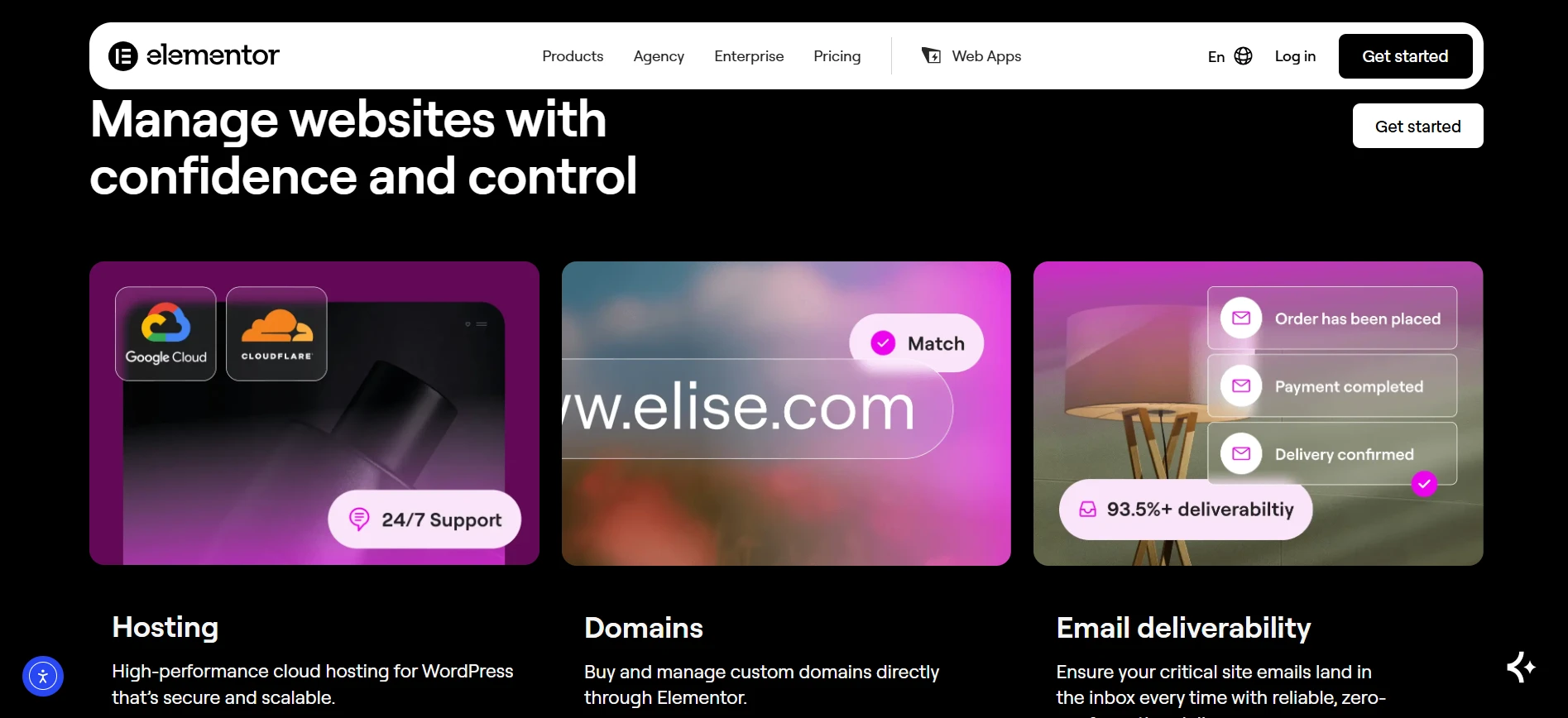
Email services: Get email deliverability features for domains, logs, testing, and suppression management.
Portfolio management: Site Management centralizes monitoring, security issue identification, updates, and database optimization.
Best for: Agencies managing large numbers of client websites and teams that want Elementor combined with broader site-management capabilities.
Elementor Free vs Pro
The free Elementor version, also known as Elementor Core, continues to be available for WordPress users. It provides a visual drag-and-drop editor, standard widgets, responsive editing, templates, and other essential design tools.
Pro’s main advantage is that it gives you control over more parts of a complete WordPress website. It introduces Theme Builder, advanced widgets, dynamic content, forms, popups, WooCommerce tools, custom CSS, and other professional capabilities.
Someone building a basic landing page or personal website may find the free edition sufficient. Businesses requiring forms, popups, WooCommerce, or custom theme layouts will generally need Advanced Solo or a higher plan.
What Does Elementor Pro Include?
Elementor Pro expands website building into areas such as site structure, marketing, dynamic content, and eCommerce.
Key Pro capabilities include:
Theme Builder for headers, footers, archive pages, posts, and other theme sections.
Professional widgets for content, marketing, portfolios, testimonials, forms, and more.
Dynamic Content for connecting WordPress information with Elementor designs.
Form Builder for building lead-generation forms.
Popup Builder on Advanced Solo and higher plans.
Custom CSS and code on Advanced Solo and higher plans.
WooCommerce Builder for customized online store layouts.
Payment integrations including PayPal and Stripe.
Collaborative Notes for supported professional plans.
Elementor Pricing: Monthly vs Annual Billing
The current pricing page presents plans using annual billing, although the plan interface also provides monthly billing choices. Elementor states that subscriptions renew according to the selected billing cycle at the relevant list price. The displayed USD prices exclude taxes, which are calculated at checkout using the billing address.
Annual billing can be easier to budget for if you already know that Elementor will be used throughout the year. However, Elementor recommends checking the checkout total because displayed prices are rounded and applicable taxes are added separately.
Does Elementor Pricing Include Hosting?
No, Elementor Pro and Elementor One do not include hosting.
Elementor One provides website creation and management capabilities, but hosting is still a separate product. Elementor One can work with a compatible WordPress hosting provider.
Elementor also offers Elementor Host separately. These hosting plans combine WordPress hosting with hosting-related services, but an Elementor Editor license is not automatically bundled with the hosting plans.
Choose Your Elementor Plan
If you are… | Recommended Plan | Why |
Building a simple personal or brochure site | Essential | Low annual cost with Theme Builder and Pro design tools |
Building one professional business website | Advanced Solo | Adds forms, popups, custom code, CSS, and eCommerce |
Managing up to 3 websites | Advanced | More site licenses without moving to Expert |
Managing client websites | Expert | Supports up to 25 websites |
Wanting website tools plus AI and optimization | Elementor One | Adds 25,000 monthly One credits and connected services |
Running an agency with many websites | Elementor One Agency | Unlimited websites and 350,000 monthly One credits |
For most single-site businesses, Advanced Solo is the more useful option compared with Essential because it brings forms, popups, custom code, CSS, and eCommerce into the plan. Elementor’s own comparison places Advanced Solo toward professional and eCommerce websites.
Pros and Cons of Elementor Pricing
Pros
- You can start creating WordPress pages without buying a Pro license.
- Elementor offers options from one website through 25 sites, while One Agency covers unlimited sites.
- Pro combines Theme Builder, dynamic content, forms, popups, and WooCommerce tools.
- Advanced Solo provides many of the features required for a professional business website.
- AI, image optimization, accessibility, email delivery, cookie consent, and site management are combined in one subscription.
- Eligible new annual plans include a 30-day money-back guarantee.
Cons
- It does not include forms, popups, custom CSS, custom code, or eCommerce features
- Subscriptions renew at the applicable list price for the selected billing cycle, so you should confirm the renewal amount before buying.
Is Elementor Worth the Price?
Elementor is a reasonable choice for users who build WordPress websites regularly and need capabilities beyond a basic visual editor.
The Essential plan is suitable for simpler websites where advanced forms, WooCommerce, and custom styling are unnecessary. For a professional business website, Advanced Solo at $84/year offers better value because it includes many of the features such sites typically require.
Freelancers with multiple websites can select Advanced at $108/year for three sites, while Expert at $204/year is better suited to creators handling a larger collection of client websites.
Elementor One offers a different value proposition by bringing the Pro editor together with AI, image optimization, accessibility, email delivery, cookie consent, and site management. One Agency is designed for agencies requiring unlimited websites and a substantially larger monthly credit allowance.
Keep in mind that Elementor One does not include hosting. Users wanting a combined hosting setup need to consider Elementor Host separately.
Quick Links:
Unbounce Pricing 2026: Everything You Need to Know Before Buying
Deadline Funnel Pricing 2026: Which Subscription Is Worth It?
Elementor Pricing FAQs
The current annual prices are $60 for Essential, $84 for Advanced Solo, $108 for Advanced, and $204 for Expert. Elementor One costs $180/year, while One Agency costs $432/year. These prices are shown before applicable taxes.
Advanced Solo is generally the stronger option for a professional website because it adds forms, popups, custom code, CSS, dynamic content, and eCommerce. Essential is more appropriate for basic websites.
Yes. Elementor has a free WordPress version known as Elementor Core. It includes the visual drag-and-drop editor and basic website-building features. Paid plans add Theme Builder, advanced widgets, forms, popups, dynamic content, and WooCommerce functionality.
No. Elementor Pro does not include hosting, and Elementor One does not include hosting either. Hosting is available separately through Elementor Host.
Yes. Elementor provides multi-site licenses. Advanced supports 3 websites, Expert supports 25 websites, and Elementor One Agency supports unlimited websites.
Yes. Elementor One contains the Editor Pro feature set together with connected services such as AI tools, image optimization, email deliverability, accessibility, cookie consent, and site management.
No. Unused One credits do not roll over. Elementor resets the available credit balance every month.
Final Thoughts on Elementor Pricing
Elementor Pricing 2026 offers WordPress users a range of options depending on how much functionality and site coverage they require. The free version handles basic website creation, while Essential introduces Pro design capabilities at a low annual price.
For a professional single-site project, Advanced Solo is a standout option because it includes forms, popups, custom code, CSS, dynamic content, and eCommerce functionality. Advanced suits users managing up to three websites, while Expert is intended for portfolios of up to 25 sites.
Those who want a broader website toolkit can choose Elementor One, which combines Editor Pro with AI, image optimization, accessibility, email delivery, cookie consent, and site management. Agencies can use One Agency for unlimited websites.
Before committing, review the checkout amount, taxes, renewal pricing, and the actual need for the additional One services. Doing so can help ensure you choose the right Elementor plan without paying for tools your WordPress project does not need.



Comments
Be the first to leave a comment.