
If you opened this Semrush review looking for a straight answer, here it is: I still pay for Semrush because the research, tracking, and audit tools sit in one place, and that saves me hours every week. I’m Jitendra Vaswani, and I have used the platform on my own content sites for years.
I would subscribe again for weekly SEO research. I would start on the yearly SEO plan unless I already knew I needed AI visibility or higher limits.
Pros
- I get keyword ideas, competitor URL comparisons, and rank tracking without switching platforms.
- The audit reports give me a punch list of technical fixes I can work through in order.
- I can try the paid toolkit for 7 days on a real project and cancel if the habit does not stick.
Cons
- The yearly bill is hard to justify if you only need a keyword idea once in a while.
- The dashboard is packed, so it takes practice to land on the reports you care about.
- Plan caps on sites and daily keywords, plus no trial exports, can stall an early test.
Price: $117.33/mo billed yearly
Start Free TrialThe price is the part you have to face early. The SEO plan costs $117.33 a month when billed yearly, or $139.95 month to month. Starter and Pro+ cost more. Advanced is custom. You can try most plans for 7 days, and a free account exists if you only want a first look. Below I cover the features I actually use, the current plans, and who should buy which one.
My Quick Take on This Semrush Review
- I would subscribe again if SEO research is part of my weekly work, not a once-a-month task.
- The cheapest paid plan is the SEO plan at $117.33/mo billed yearly, or $139.95/mo paid monthly.
- Starter is $165.17/mo billed yearly ($199.00/mo monthly) and adds the AI Visibility toolkit plus MCP access.
- Pro+ is $248.17/mo billed yearly ($299.00/mo monthly) and raises limits to 15 sites and 1,500 daily keywords.
- Advanced has no public price on the current pricing page. You have to talk to sales.
- A 7-day trial is available on most plans. Cancel before it ends or it turns into a paid subscription.
- The free account needs no card, but it is limited to one demo project and 10 reports a day.
If you want to test the platform on your own site first, start a Semrush 7-day trial and cancel before the trial ends if it is not a fit.
What Is Semrush, and Who Is It For?
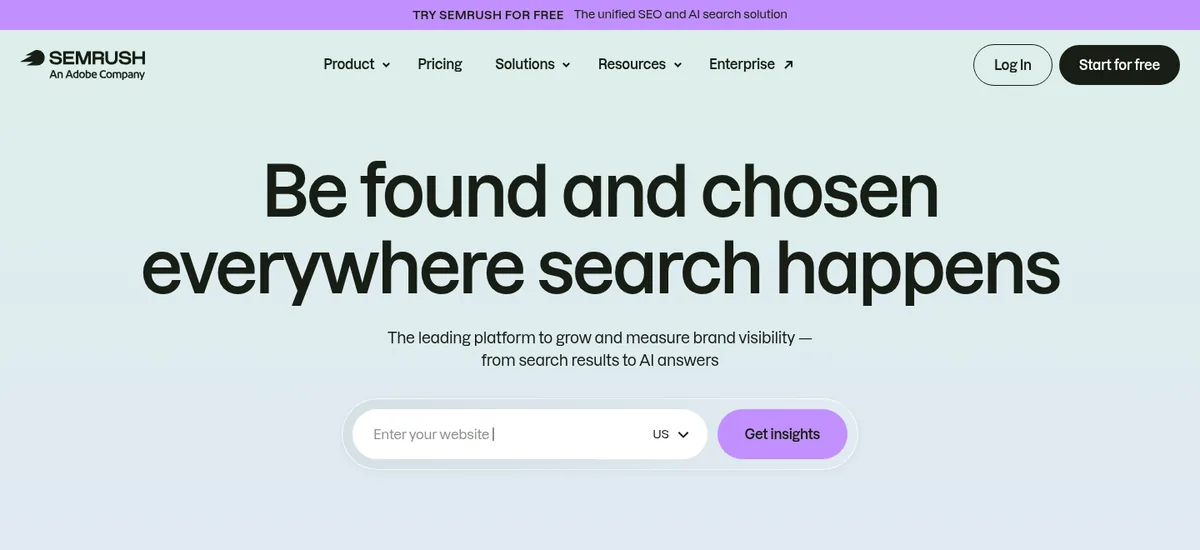
Semrush is a research platform for search, not a single keyword gadget. In day-to-day use I open it to find keywords, study competing pages, track rankings, run a site audit, and check backlink gaps. The newer plans also add AI visibility tools, so I can see whether a brand shows up in AI answers as well as in regular search results.
I reach for it when I am planning content, checking why a page slipped, or briefing a writer on what a competing URL already covers. I do not use every toolkit it sells. Local, social, and ads tools exist if you need them, and you can add those later. For my work, the SEO tools plus, on a higher plan, the AI visibility features are the core.
It is a good fit if you run a content site, a small in-house SEO practice, or a client roster and you want one login for research and tracking. It is a poor fit if you have one small brochure site and you only need a keyword idea once a quarter. In that case the free account, or even Google Search Console on its own, will take you further than a full subscription.
Semrush Features I Rely On Every Week
The feature list on Semrush is long, so I will not pretend I live in every screen. These are the tools I actually keep open, and the limits that matter when you pick a plan.
1. Keyword Research
This is still the reason I opened Semrush in the first place. I start with a seed topic, then look at search volume, keyword difficulty, intent, and related questions before I commit to a title. The Keyword Magic style workflow is the one I use most, because I can move from a broad phrase to a tighter cluster without exporting a mess of spreadsheets.
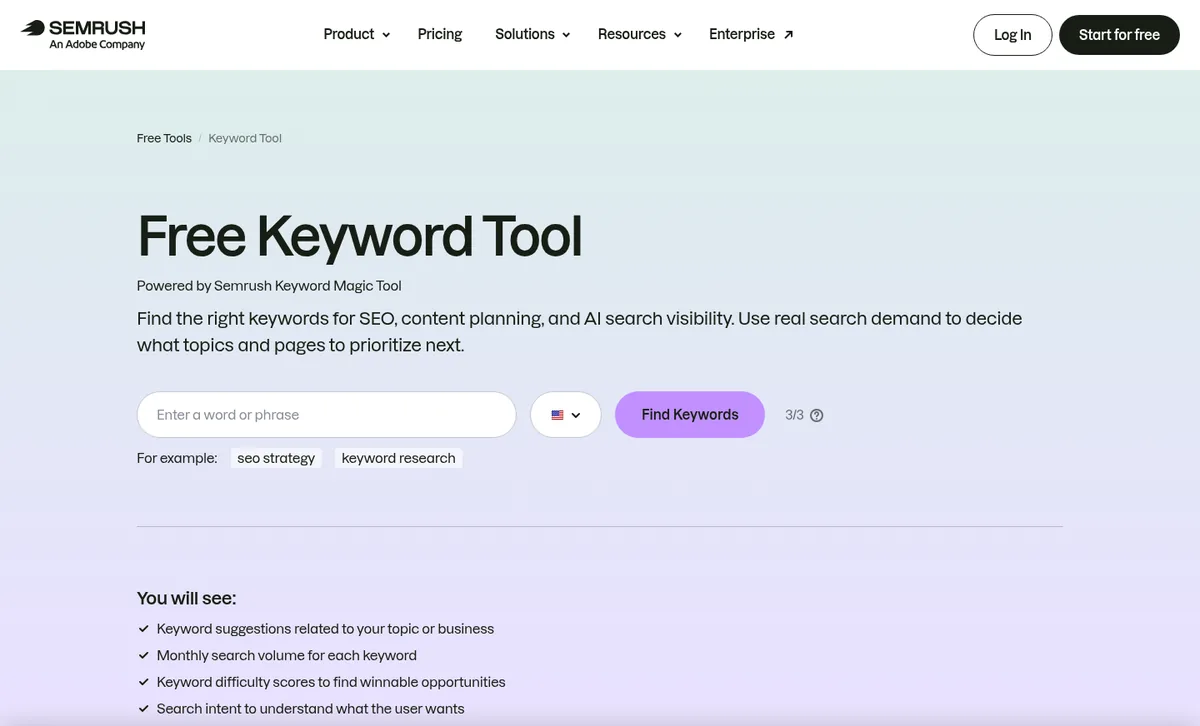
You can also try a lighter public keyword tool before you pay, which is handy if you want a feel for the data. Once I am inside a paid plan, I trust it for planning batches of posts, not for one-off guesses. I still read the difficulty score as a guide, not a promise. A “easy” keyword can be hard if the competing pages are strong, and I always open the top results myself.
2. Competitor and Domain Research
Domain Overview is my second stop. I paste a competing site, then look at the organic keywords, top pages, and the topics that already bring in traffic. That is faster than guessing what to write next. I also use it when a client asks why a rival is outranking them: the answer is usually a handful of pages, not a mysterious whole-site advantage.
On Pro+ and Advanced you also get historical SEO data and side-by-side domain comparisons. I miss those on the lower plans when I want to see how a site has changed over time. If you often compare more than one competitor, that gap is a real reason to consider Pro+.
3. Position Tracking
I set Position Tracking on the keywords I care about and check it often enough to spot a drop before it becomes a trend. Daily tracking is included, and the limit depends on the plan: 500 keywords a day on SEO and Starter, 1,500 on Pro+, and 5,000 or more on Advanced.
Five hundred keywords sounds generous until you track more than one site, or you add variants and locations. That is usually the first limit I bump into. Pro+ also includes multi-location and device tracking, which matters if you rank in more than one city or you want desktop and mobile broken out.
4. Site Audit
Site Audit is the tool I run after a redesign, a plugin change, or a sudden traffic dip. It crawls the site and flags broken links, index issues, thin or duplicate pages, and other technical problems I would not catch by hand. I do not fix every warning it throws. I sort by impact, then work through the issues that can actually block crawling or hurt a key URL.
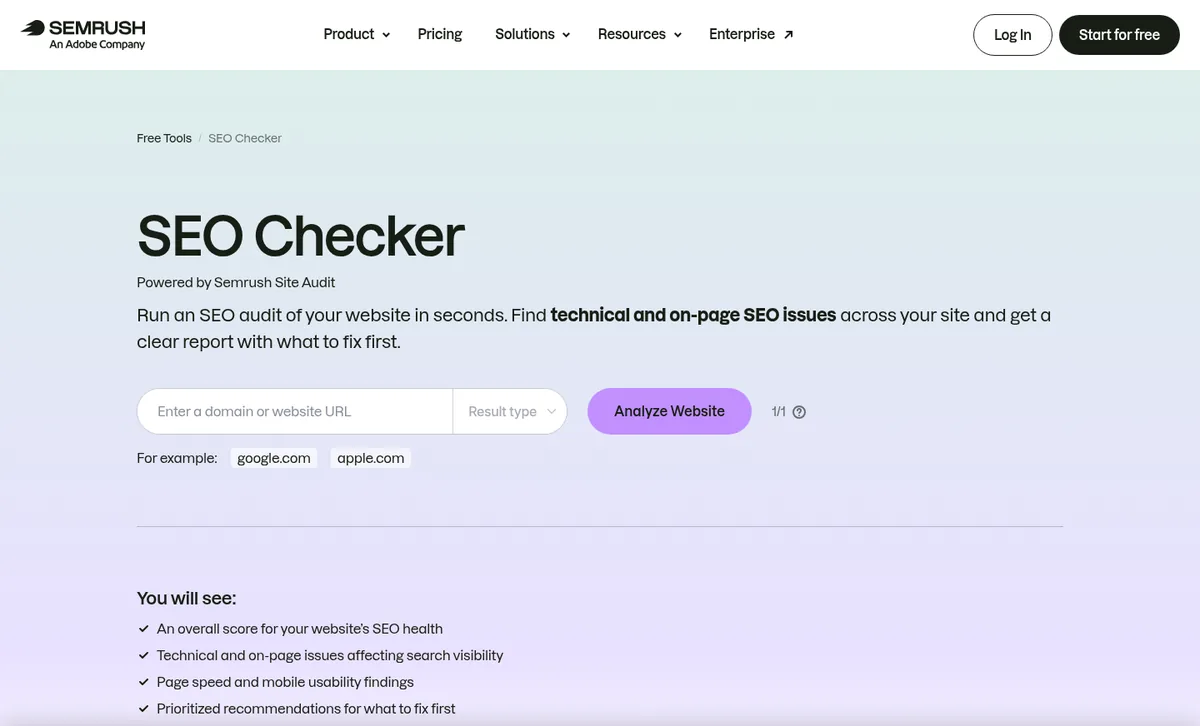
Semrush also offers a public SEO Checker if you want a first pass without logging in. The paid Site Audit is the one I use for ongoing work, because I can recrawl, compare, and keep a project attached to the site I am watching. Starter and higher add an AI-ready audit, which is aimed at pages that need to show up in AI answers as well as classic search.
5. Backlink Research
When I need link ideas, I look at the backlinks pointing to competing pages and at the gaps my site has not earned yet. That is more useful than a raw domain score. I export a short list, drop the junk, and then pitch or create something those sites might actually want to cite.
This is also where plan limits show up, because deep backlink work burns through reports quickly on a lower tier.
6.Content Tools
The content tools help me brief a piece before anyone writes it. I use topic research to see headings and questions a subject already attracts, then an SEO writing or template view to check whether a draft covers the same ground as the pages already ranking. I do not let it write the article for me. The useful part is the checklist: missing questions, thin sections, and terms I should include naturally.
Content optimization is listed on Pro+ and Advanced. On the lower plans I still get enough research to plan a brief, but I do less in-document scoring. If you have a team that needs templates and on-page guidance at scale, that is another point in favor of Pro+.
7. AI Visibility
This is the biggest change in Semrush since I first subscribed. Starter, Pro+, and Advanced bundle an AI Visibility toolkit with the SEO tools, so I can track whether a brand appears in AI answers, watch prompts, and see how those systems talk about a name. Starter includes 50 prompts a day, one domain for AI brand performance, and 300 AI visibility reports a day. Pro+ raises the prompt cap to 100. Advanced lists unlimited prompts.
The SEO plan, on the current pricing cards, marks those deeper AI visibility items as not included. It still covers the classic SEO toolkit. If AI search is part of the job, Starter is the first plan that matches that work.
Starter and higher also include MCP access, which lets me pull live Semrush data into an AI chat instead of clicking through every report. I use it as a shortcut, not as a replacement for opening the charts when a number looks odd.
If you want to click through these tools on your own site, try Semrush free for 7 days and stay on the plan that matches the features you actually opened.
Semrush Pricing and Plans
Prices checked on 24 November 2026 on Semrush’s SEO + AI Search pricing page. Annual billing is advertised as a saving of up to 17%, and you pay the year up front. I did not find a public Black Friday or Cyber Monday code on that page.
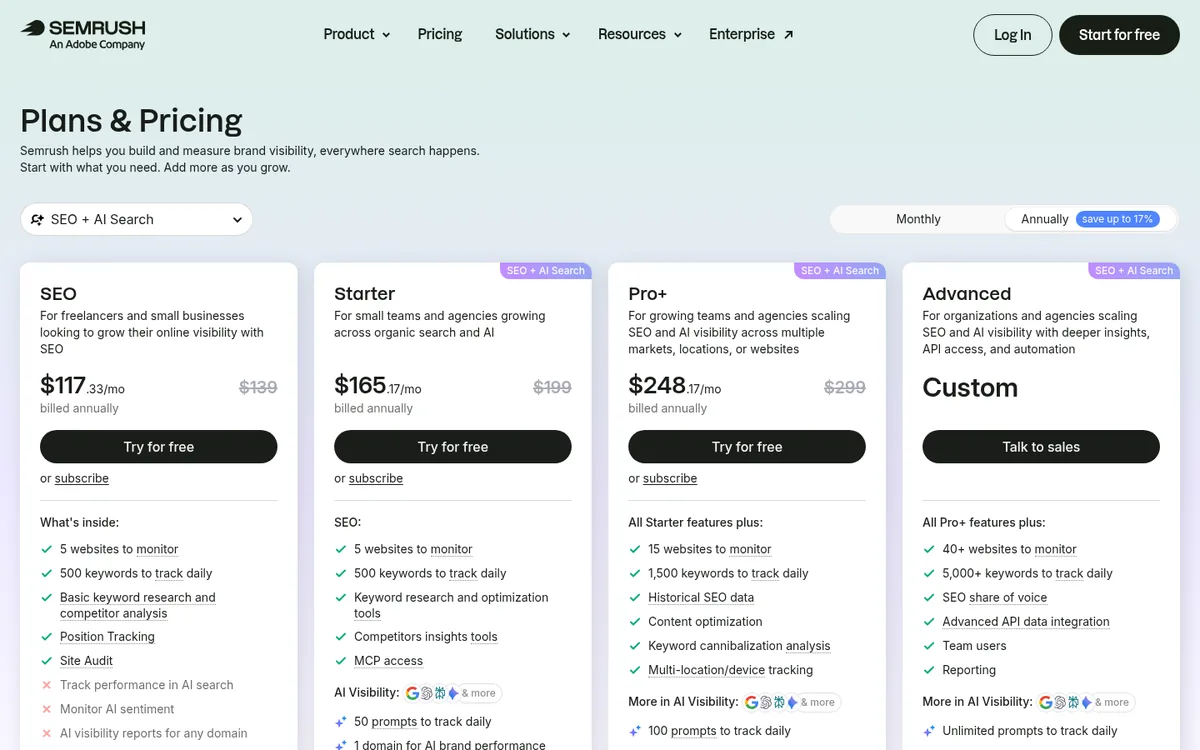
The live monthly price for the SEO plan is $139.95 per month. The annual cards still show a $139.00 comparison price next to the yearly rate. I am using the figure the monthly toggle actually displays.
| Plan | Monthly | Annual, per month | Best for |
|---|---|---|---|
| SEO | $139.95/mo | $117.33/mo | Solo SEO work on a few sites |
| Starter | $199.00/mo | $165.17/mo | SEO plus AI visibility |
| Pro+ | $299.00/mo | $248.17/mo | Teams with more sites and keywords |
| Advanced | Custom | Custom | Larger teams that need share of voice and API access |
A free plan is listed at $0.00 a month with no credit card. It includes one demo project, 10 reports a day on core tools, basic onboarding, and a limited set of AI visibility features. Semrush for Enterprise is also custom, with a demo request instead of a checkout price.
| Plan | Websites | Keywords a day | AI prompts a day |
|---|---|---|---|
| SEO | 5 | 500 | Not included on the pricing cards |
| Starter | 5 | 500 | 50 |
| Pro+ | 15 | 1,500 | 100 |
| Advanced | 40+ | 5,000+ | Unlimited |
Extra costs add up once you leave a single-user setup. Additional users start at $45.00 a month and rise with the plan: $45.00 on Starter, $80.00 on Pro+, and $100.00 on Advanced. Optional add-ons I saw on the pricing page include Lead Generation at $90.00 a month, Base Report at $10.00 a month, and Pro Report at $20.00 a month.
If you want a longer plan-by-plan walkthrough, I keep that on our Semrush pricing page. And if you are hunting for a code, check the current Semrush coupon code offers before you pay monthly.
Semrush Free Trial, Free Account, and Refunds
Most SEO + AI Search plans include a 7-day free trial. After those 7 days, the account converts to the plan you picked unless you cancel during the trial. I treat that deadline as real. Exports are turned off during the trial, so you can explore the tools but you cannot pull large files out until you pay.
The free account is separate. It does not need a card, and it is the safer way to click around if you are not ready to start a trial that can bill you. The tradeoff is the tight daily cap and the single demo project.
Refunds are narrower than many people expect. Semrush offers a one-time 7-day money-back window on an eligible first purchase when you commit to 12 months or longer, or on an eligible first add-on, and you have to request it in writing. Month-to-month plans and renewals are not covered by that standard guarantee. Canceling a subscription does not automatically request a refund.
Which Semrush Plan Should You Buy?
If you work alone on a few sites and you mainly need keywords, audits, and rank tracking, start with the SEO plan billed yearly. It is the lowest paid price I can verify, and it covers the tools I used for years before AI visibility existed.
Pick Starter if you also need to watch AI answers, track prompts, or use MCP. You do not get more sites or keywords than the SEO plan. You are paying for the AI toolkit, not for more capacity.
Pick Pro+ when 5 sites or 500 daily keywords start to feel tight, or when you need historical data, content optimization, cannibalization checks, and multi-location tracking. This is the plan I would shortlist for a small agency.
Choose Advanced or Enterprise only if you already know you need 40 or more sites, 5,000 or more keywords, share of voice, or API access. There is no public price, so you will be talking to sales. I would not start there on a first subscription.
Whatever you pick, open the plans page and start on a trial of that exact tier, so the limits you test are the limits you will live with.
Where Semrush Falls Short
The first drawback is the bill. Even the cheapest paid plan is a serious monthly cost for a single small site, and yearly billing means you pay a large sum up front. Extra user seats start at $45.00 a month, so a three-person team does not pay the sticker price you see on the card.
The second is the learning curve. The menu is dense, and a new user can waste a week opening tools they will never need. I still ignore whole corners of the product. That breadth is useful once you know your way, and it is noisy when you do not.
The third is limits. Five hundred daily keywords and a shared report cap can feel tight sooner than you expect, and trial exports are blocked. I also keep Google Search Console open for my own clicks and impressions, because that is the record of how my pages performed in Google, not a model of the market. Semrush is the research layer I put on top, not a replacement for that first-party data.
Semrush Pros and Cons
Here is the balance I come back to after using the product for real client and site work, not a lab test.
Pros
- Keyword, competitor, and rank tracking tools live in one login I can use every week.
- Site Audit surfaces technical issues I would miss if I only checked pages by hand.
- Backlink gap views give me outreach ideas tied to pages that already rank.
- Starter and higher add AI visibility tracking and MCP access without a separate product.
- A 7-day trial and a free account let you test before you pay.
- Annual billing cuts the monthly rate by up to 17% on the published plans.
Cons
- Paid plans are expensive for a single small site, and extra user seats add more cost.
- The interface takes time to learn because there are far more tools than most people need.
- Keyword, site, and report limits can feel tight, and trial accounts cannot export data.
Quick Links
FAQs About Semrush
Semrush is worth it if keyword research, competitor checks, rank tracking, and site audits are part of your regular week. I still pay for it for that reason. It is not worth it if you only need a keyword idea now and then, because the SEO plan already starts at $117.33 a month billed yearly, or $139.95 month to month. Use the 7-day trial to find out.
On 24 November 2026, the SEO plan is $139.95 a month, or $117.33 a month billed yearly. Starter is $199.00, or $165.17 billed yearly. Pro+ is $299.00, or $248.17 billed yearly. Advanced has no public price and is listed as custom. Annual billing is advertised as a saving of up to 17%, paid up front. Extra users start at $45.00 a month.
Yes. Most SEO + AI Search plans include a 7-day free trial. If you do not cancel before the trial ends, the account converts to the paid plan you selected and billing starts. Exports are disabled during the trial. There is also a free account that needs no credit card, with one demo project and 10 reports a day, if you only want a limited look.
Both plans include 5 websites and 500 keywords tracked daily, so you do not buy more capacity when you move from SEO to Starter. The SEO plan is the core research toolkit: keyword work, competitor analysis, Position Tracking, and Site Audit. Starter adds the AI Visibility toolkit, MCP access, 50 daily prompts, and an AI-ready Site Audit. Choose Starter when AI answer tracking is part of the job.
Semrush offers a one-time 7-day money-back window on an eligible first purchase with a 12-month or longer commitment, or on an eligible first add-on, and you must request it in writing. Month-to-month plans and renewals are not covered by that standard guarantee. Canceling a trial before it ends avoids a charge. Canceling a paid plan does not automatically create a refund request.
Semrush is best for freelancers, in-house SEOs, and small agencies who need research, tracking, and audits in one place. The SEO plan fits a solo user with a few sites. Starter fits that same capacity when AI visibility matters too. Pro+ is the better match once you outgrow 5 sites or 500 daily keywords. Advanced and Enterprise suit larger teams that need custom limits, share of voice, or API access.
Final Verdict: Is Semrush Worth It?
After years of using it on my own sites, my Semrush review ends in the same place it started. I would buy it again for regular SEO work, and I would start on the yearly SEO plan unless I already knew I needed AI visibility or higher limits. The tools are strong. The price is high. The 7-day trial is the honest way to see whether you will open it often enough to justify the bill.
If you are ready to test it on a real project, start your Semrush trial on the plan you think you will keep, and cancel before day 7 if the workflow does not stick.


Comments
Be the first to leave a comment.