
I used WebinarJam to see how well it performs for live webinars, attendee engagement, promoting offers, and getting continued value from webinar content after an event.
After using it, my rating for WebinarJam is 4.5/5. What stood out to me was that WebinarJam isn’t limited to hosting a video session. I could handle registration pages, reminders, live chat, polls, offers, recordings, and follow-up within the same platform.

This product earns a solid recommendation. It delivers excellent value with a robust feature set.
Pros
- Excellent performance
- Great value
- Easy to use
- Regular updates
Cons
- Limited free plan
- Learning curve
I don’t think it is necessary for everyone, though. For occasional video meetings, I would use a simpler platform. But when webinars are part of a marketing, sales, coaching, course, or education strategy, I found WebinarJam much more useful.
In this WebinarJam review, I’ll cover my experience, the features I found most useful, current WebinarJam pricing and plans, the $1 trial, pros and cons, WebinarJam vs Zoom, who should use it, which plan I’d select, and whether WebinarJam is worth paying for.
WebinarJam Review: My Rating
Category | My Rating |
Ease of use | 4.5/5 |
Webinar features | 4.7/5 |
Audience engagement | 4.6/5 |
Marketing & sales tools | 4.7/5 |
Automation | 4.4/5 |
Integrations | 4.3/5 |
Pricing/value | 4.4/5 |
Overall | 4.5/5 |
My overall verdict
I rate WebinarJam 4.5/5 because it does a particularly good job of combining webinar hosting, audience interaction, and conversion-focused features. The reason I didn’t give it 5/5 is that some users may find the platform unnecessary when they only need basic online meetings.
What Is WebinarJam?
WebinarJam is a webinar platform that I found particularly suitable for businesses that want to teach, demonstrate, promote, or sell through webinars.
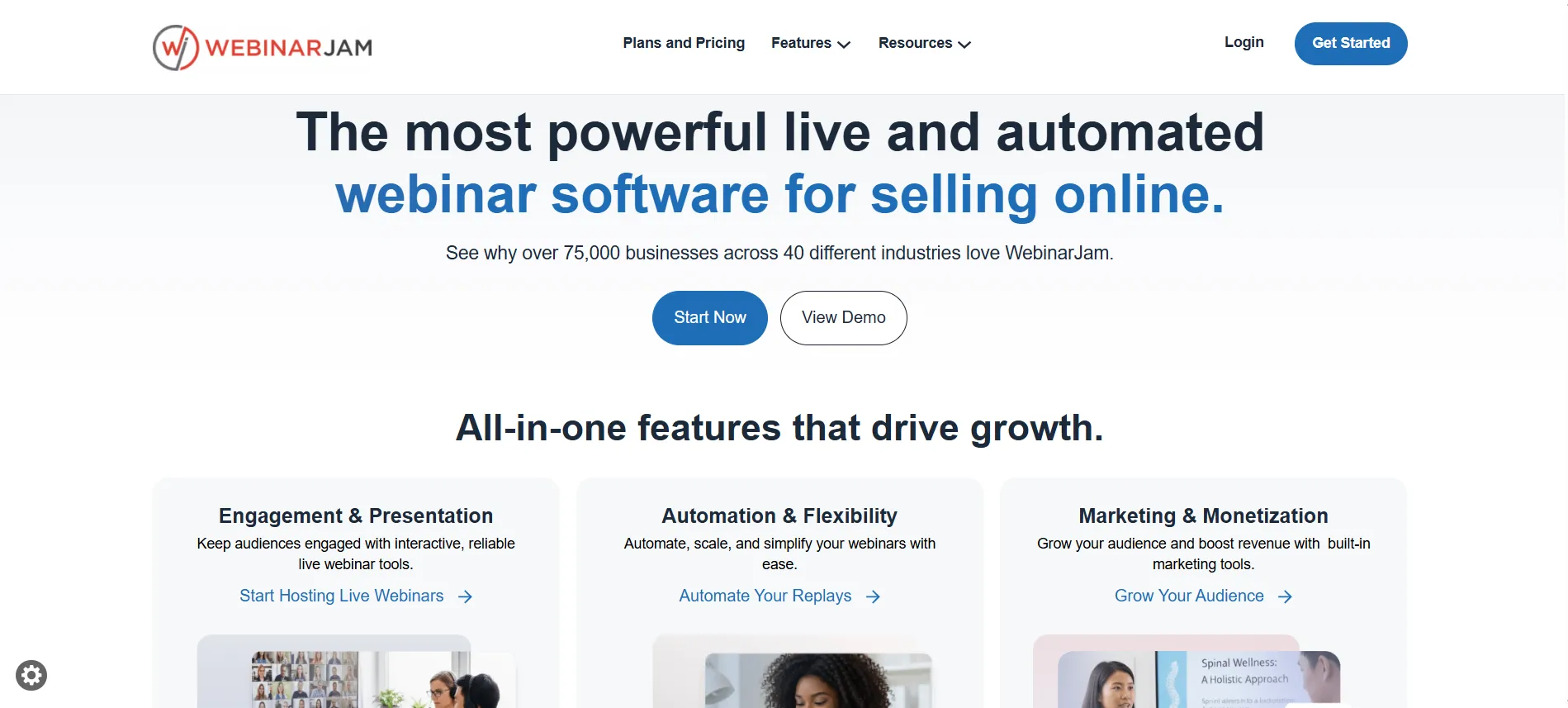
During my use, I found tools for:
Live webinars
Automated webinars
Registration pages
Email and SMS reminders
Live chat
Polls and surveys
Product offers
Webinar recordings
Replay experiences
Audience management
Analytics
Social broadcasting
Team members and presenters
Marketing platform integrations
WebinarJam currently positions its platform around helping businesses connect with audiences and generate sales. Depending on the plan, the platform supports between 100 and 5,000 attendees.
My Personal Experience With WebinarJam
I used WebinarJam to get a better feel for how it works beyond simply reading about its features. What stood out to me was how much of the webinar process I could manage from one place. I could set up the registration page, send reminders, interact with attendees during the session, present an offer, and use the recording afterward.

The live webinar experience was one of the areas I liked most. Having chat and polls available made it easier to keep the session interactive instead of making it feel like a one-way presentation. I also found the live offer feature useful when thinking about webinars from a sales perspective.
Another thing I appreciated was the replay and recording functionality. For me, this changes the value of creating a webinar. I don’t have to think of it as something useful only during the live event. I can reuse the recording as a replay, future content, or part of a sales funnel.
I also liked having registration pages, email and SMS reminders, and audience engagement tools connected to the same webinar setup. It meant I didn’t have to think about the webinar as a separate live event and then figure out everything else afterward.
That said, WebinarJam isn’t something I’d recommend simply because it has a long list of features. If I only needed occasional video meetings, I’d probably choose a simpler platform. But for businesses that put real time into webinars and use them for teaching, lead generation, marketing, or sales, I found WebinarJam much more compelling.
WebinarJam Pricing & Plans 2026
The next important question is How much does WebinarJam cost?
The current pricing page lists a $1 14-day trial, followed by Starter, Basic, Professional, and Enterprise plans. Annual billing reduces the monthly equivalent by up to 22%.
WebinarJam Plan | Monthly | Annual Monthly Equivalent | Attendees | Webinar Duration |
$1 Trial | $1/14 days | — | 500 | 2 hours |
Starter | $49/mo | $39/mo | 100 | 1 hour |
Basic | $99/mo | $79/mo | 500 | 2 hours |
Professional | $299/mo | $229/mo | 2,000 | 3 hours |
Enterprise | $499/mo | $379/mo | 5,000 | 4 hours |
The official pricing page currently lists these prices and limits.
WebinarJam Starter Plan Review
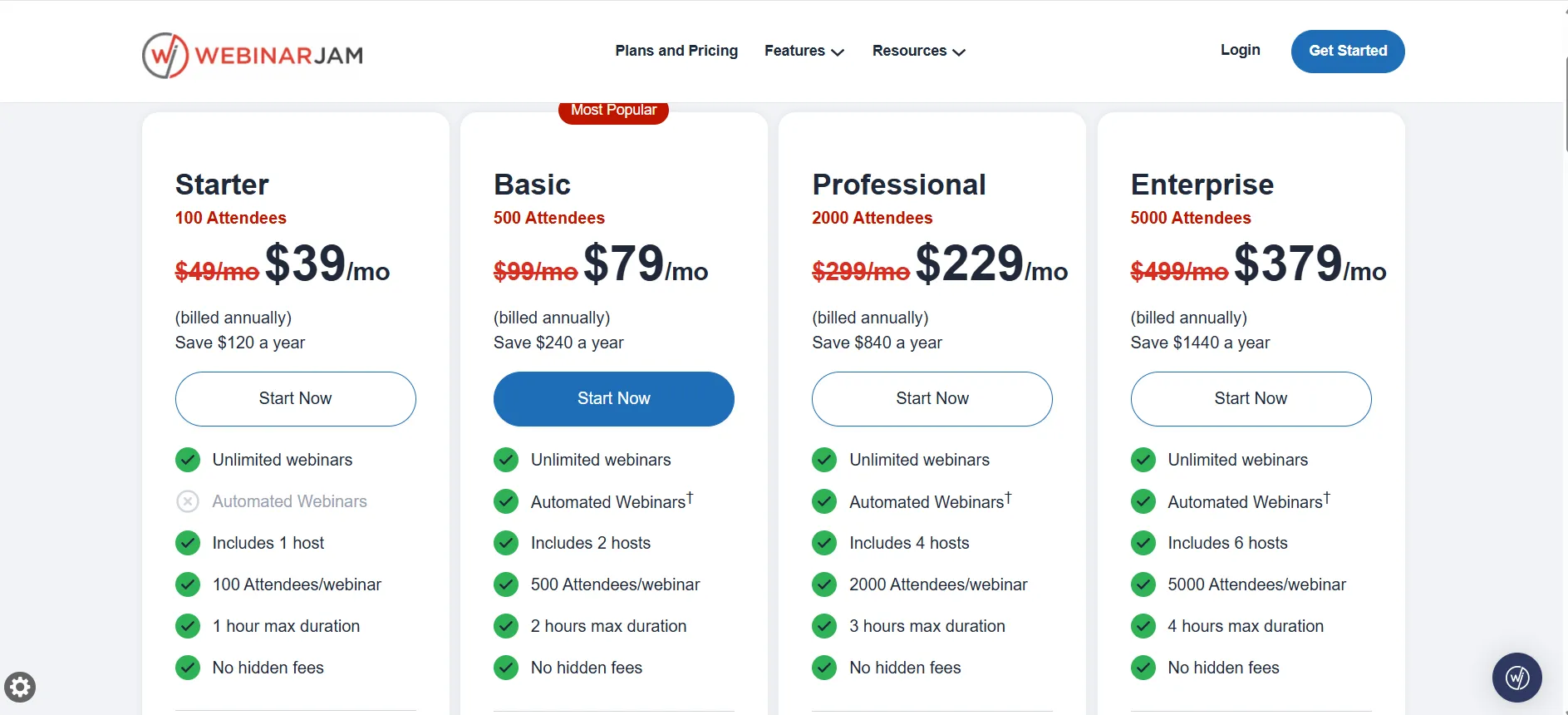
$49/month or $39/month annually
The Starter plan is a reasonable starting point for smaller webinars and people who are new to webinar software. It supports up to 100 attendees, one host, and one-hour webinars, along with live chat, polls, registration pages, email and SMS reminders, recordings, replays, and live offers.
The main thing to consider is the 100-attendee limit. It is suitable for a solo coach, consultant, creator, or small business, but Basic is a better option if the audience is likely to grow.
My verdict: Starter works as an entry-level plan, but I’d move to Basic when more capacity is needed.
WebinarJam Basic Plan Review
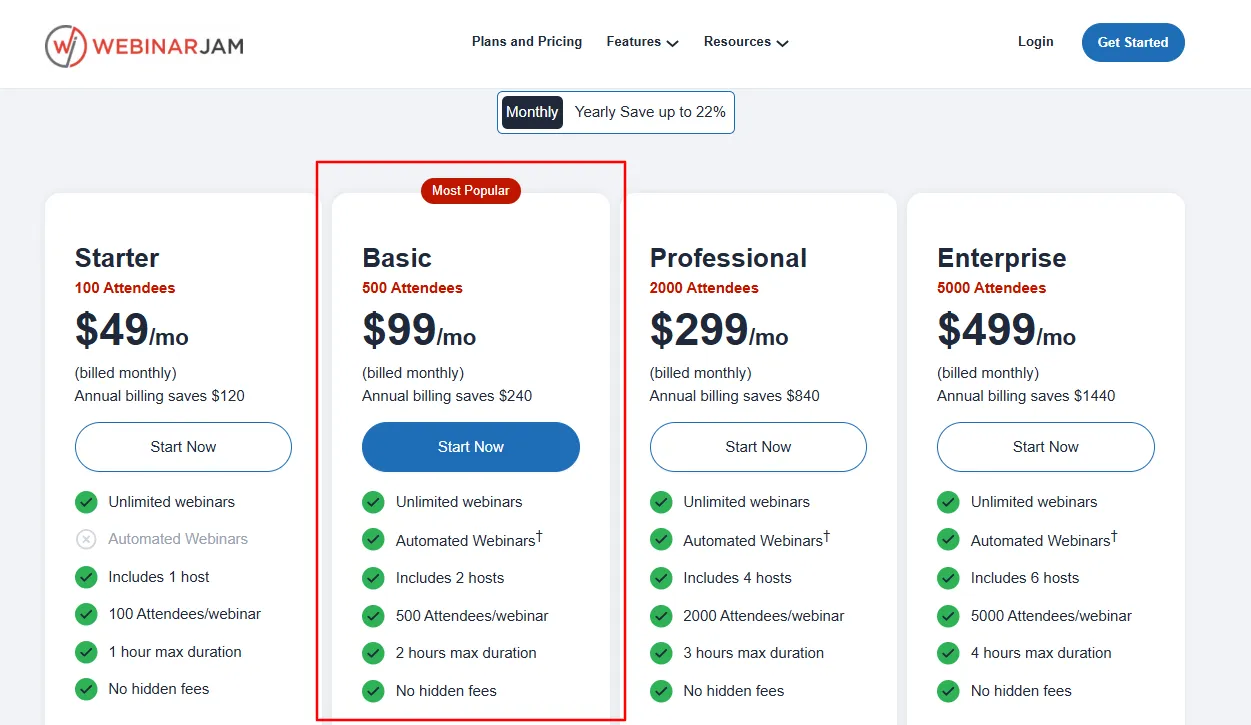
$99/month or $79/month annually
The Basic plan supports 500 attendees, 2 hosts, and 2-hour webinars. It also includes core WebinarJam features such as live chat, polls, registration pages, reminders, offers, recordings, and replays.
I would recommend it for course creators, coaches, marketers, small businesses, and people running regular sales or training webinars.
My pick: Basic offers the best balance of price, capacity, and features for most users without moving into Professional pricing.
WebinarJam Professional Plan Review
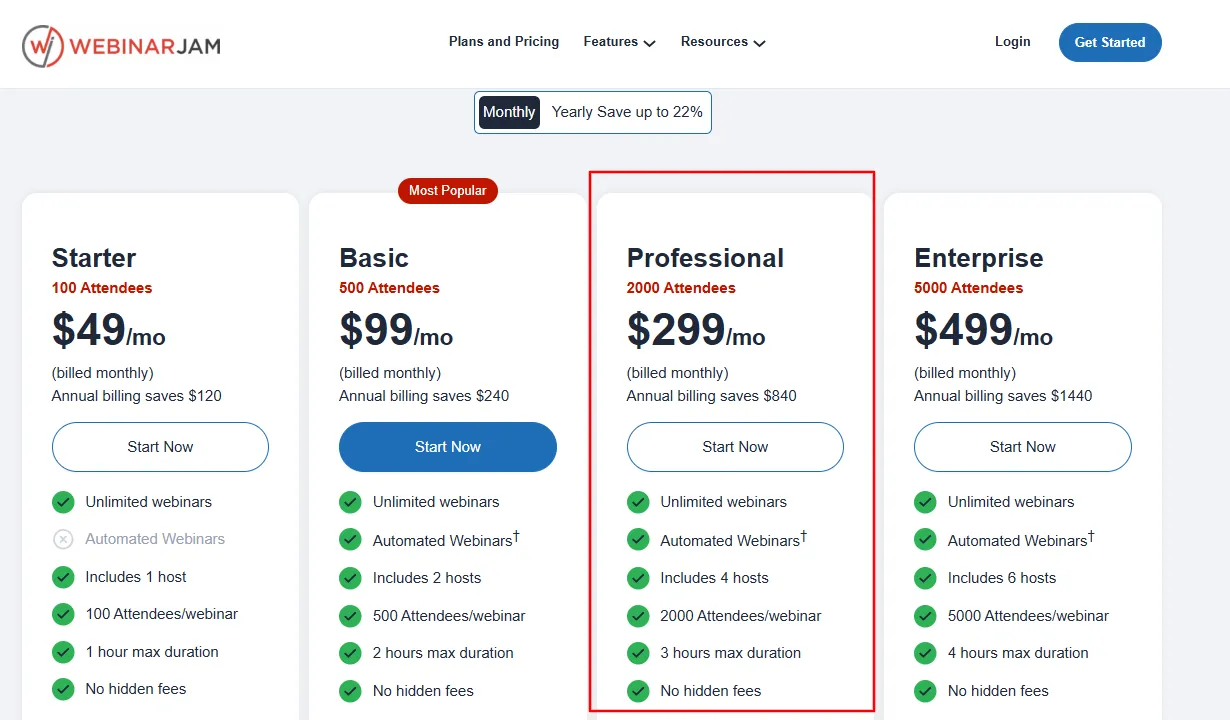
$299/month or $229/month annually
The Professional plan increases capacity to 2,000 attendees, 4 hosts, and 3-hour webinars, with up to 10 additional team members.
This plan is more suitable for larger product launches, training events, high-attendance webinars, and sales presentations.
If the webinar audience is still below 500 people, the additional capacity may not be necessary. The $299 monthly price is more appropriate for businesses that need larger attendee limits, more hosts, longer webinars, and additional team support.
WebinarJam Enterprise Plan Review
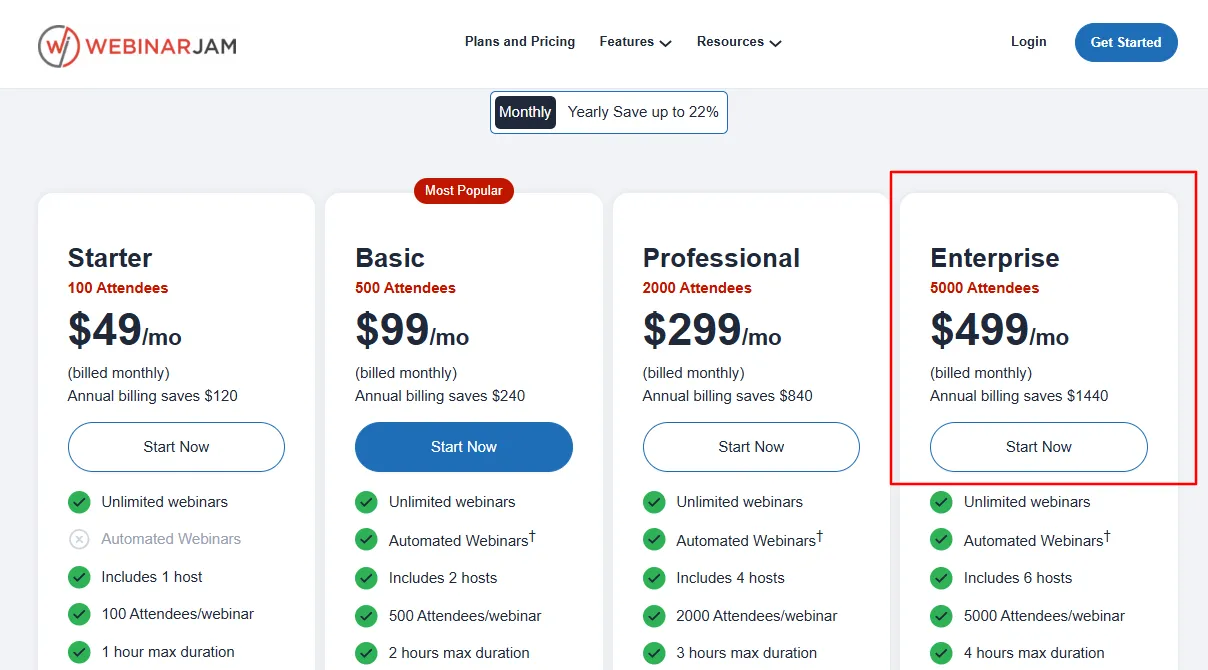
$499/month or $379/month annually
Enterprise supports:
Up to 5,000 attendees
6 hosts
4-hour webinars
25 additional team members
Which WebinarJam Plan Should You Choose?
The best plan depends mainly on expected audience size, webinar duration, and team requirements. There is no reason to select a higher plan unless its additional capacity is needed.
Plan | Best suited for | Why choose it |
Starter | Smaller webinars and beginners | Supports up to 100 attendees, making it suitable for smaller sessions and people starting with webinars. |
Basic | Most growing businesses and creators | Supports up to 500 attendees and provides a strong balance of price, capacity, and features. This is the plan I’d recommend for most users. |
Professional | Larger webinars and marketing events | Supports up to 2,000 attendees, making it suitable for larger launches, training sessions, or high-attendance webinars. |
Enterprise | Large-scale webinar programs | Supports up to 5,000 attendees and provides greater host and team capacity for businesses running large events regularly. |
For most users, Basic is the most practical choice. Starter is suitable for smaller audiences, while Professional and Enterprise make more sense as audience size and team requirements increase.
My Experience With WebinarJam’s $1 Trial
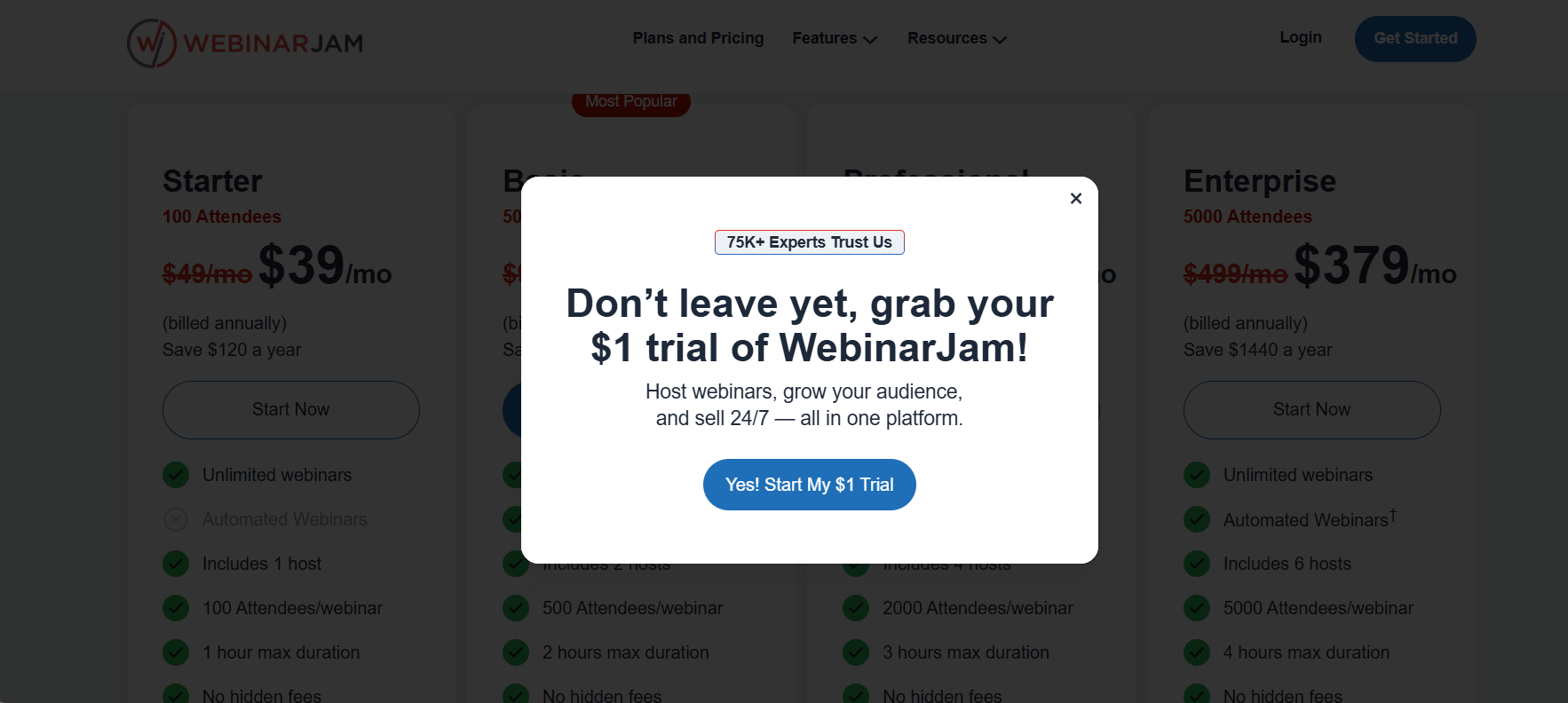
When I first started with WebinarJam, I chose the 14-day $1 trial to test the platform before paying for a regular plan. I found this useful because I could actually use the platform instead of only exploring the dashboard.
During the trial, I created a registration page, tested a webinar, and explored live chat, polls, presenter controls, offers, recording, replay, and notifications. This helped me understand how the platform worked in a real webinar setup.
I also liked being able to test whether the platform suited my requirements before committing to a subscription. This was useful because webinar software can appear good from its feature list but feel different when actually used.
WebinarJam $1 Free Trial: Is It Really Free?
WebinarJam doesn’t have a permanent free plan. Instead, it currently offers a 14-day trial for $1.
The trial provides a 500-attendee capacity and access to the platform so the webinar experience can be tested before choosing a paid subscription. The $1 trial is a paid 14-day trial, not a permanent free account. After the trial, a regular subscription is required to continue.
If you’re considering WebinarJam, I’d use those 14 days to test the features you’ll actually need rather than simply browsing the dashboard.
Who Should Use WebinarJam?
Based on my experience, WebinarJam is most useful for people who use webinars for teaching, marketing, lead generation, or sales. It offers more value when basic video hosting isn’t enough.
Who it’s for | Why I recommend WebinarJam |
Course creators | It works well for introducing a course through a live teaching session. I found registration, audience interaction, offers, and recordings useful when the webinar is also used to promote a course. |
Coaches & consultants | When webinars are part of client acquisition, WebinarJam provides tools for engaging potential clients and presenting services during the session. |
Product businesses | I found live offers useful for product-focused webinars because a product can be demonstrated and an offer presented within the webinar experience. |
Marketers | WebinarJam is more relevant when webinars are used for lead generation or sales. Registration pages, reminders, engagement tools, offers, and follow-up support this process. |
Educators & trainers | Presentations, chat, polls, and recordings make it suitable for classes, workshops, and training where attendee participation matters. |
Who Should Not Choose WebinarJam?
WebinarJam may not be the right choice for users who only need a simple video-meeting platform. If the requirement is limited to internal meetings, occasional calls, or basic online communication, many of the webinar-specific tools may not be necessary.
It is better suited to people who need tools for hosting, engaging, promoting, and monetizing webinars rather than basic video conferencing.
WebinarJam Pros and Cons
Pros
- Purpose-built for webinars
- Strong live engagement tools
- Built-in registration pages
- 30-day money-back guarantee on paid plans
- Email and SMS functionality
- YouTube and Facebook broadcasting
Cons
- It can be more than necessary for basic meetings
- Higher-tier plans become expensive for smaller businesses
- Starter is limited to 100 attendees
WebinarJam vs Alternatives: Which One Should You Choose?
The main distinction between these platforms is their primary purpose. WebinarJam is focused on webinars used for marketing, teaching, and sales, while Zoom is primarily a general meeting platform. Demio puts more emphasis on simplicity, while EverWebinar focuses on automated webinars.
1. WebinarJam vs Zoom
WebinarJam is better suited to webinars that need registration pages, audience engagement, product offers, recordings, and webinar marketing features. Zoom is more appropriate for regular meetings, team calls, and general video communication.
Choose WebinarJam when the webinar supports sales or marketing. Choose Zoom when the main requirement is online meetings.
2. WebinarJam vs Demio
Demio is worth considering when a simpler webinar setup is preferred. WebinarJam is more suitable when additional tools are needed for webinar promotion, audience engagement, and selling.
Choose Demio for simplicity. Choose WebinarJam for a broader webinar marketing setup.
3. WebinarJam vs EverWebinar
These platforms have different purposes. WebinarJam focuses mainly on live webinars, while EverWebinar is built around automated and evergreen webinars. EverWebinar is included with WebinarJam’s Basic, Professional, and Enterprise plans.
Choose WebinarJam when live interaction is important. Choose EverWebinar when recorded webinars need to run automatically.
Is WebinarJam Worth It?
WebinarJam is worth considering when webinars are an important part of your marketing, sales, training, or lead-generation strategy. Its value comes from combining hosting, engagement, registration, offers, recordings, automation, and follow-up.
For basic meetings or occasional calls, these additional webinar features may not be needed. The platform makes more sense when webinars are being used to engage an audience or support a specific business goal.
Quick Links :
WebinarJam Coupon Code 2026
WebinarJam pricing 2026
- ThriveCart Review 2026
WebinarJam Review FAQs
Yes, when webinars are an important part of your marketing, sales, education, or lead-generation strategy. I wouldn't choose it solely for basic meetings.
WebinarJam currently offers a 14-day trial for $1, rather than a permanent free plan.
Current plans start at $49/month for Starter, with annual billing reducing the equivalent monthly price to $39. Basic is $99/month, Professional is $299/month, and Enterprise is $499/month. Annual pricing is $79, $229, and $379 respectively.
I'd choose Basic for most users because it supports up to 500 attendees and provides a good balance between capacity and price.
Yes. WebinarJam supports automated webinars, with the current pricing page noting EverWebinar functionality for Basic, Professional, and Enterprise plans.
For normal meetings, I would choose Zoom. For webinars focused on marketing, teaching, audience engagement, and sales, I prefer WebinarJam.
Depending on the plan, WebinarJam currently supports 100, 500, 2,000, or 5,000 attendees per webinar.
Yes. WebinarJam provides product-offer functionality that allows hosts to display an offer inside the webinar room and direct attendees to a sales page.
Yes. Recording and replay functionality is included in the WebinarJam experience.
Yes. It supports multiple email marketing, CRM, and automation integrations, including services such as ActiveCampaign, Mailchimp, ConvertKit, GetResponse, and Zapier.
It depends on the requirement. I'd consider Zoom for meetings, Demio when simplicity is the priority, and EverWebinar when the primary requirement is evergreen automated webinars.
My Final WebinarJam Verdict: Is WebinarJam Worth It?
Overall rating: 4.5/5 – A strong option for serious webinar users, but unnecessary when the only requirement is basic video conferencing.
After using WebinarJam, I’d rate it 4.5/5. I found it particularly useful for webinars focused on teaching, lead generation, product promotion, and sales. Its combination of registration, engagement, offers, recordings, and other webinar tools makes it more than a basic video-meeting platform.
The biggest advantage for me is having these tools available together. The main drawback is that the platform can be more than necessary for users who only need simple meetings or small occasional webinars.
What I Liked Most: The combination of webinar hosting, engagement, and sales features. These were particularly useful when the webinar had a clear marketing or business purpose.
What I Liked Least: The platform can feel like overkill for basic meetings, and the higher-priced plans aren’t necessary for smaller audiences.
I’d choose the Basic plan at $99/month or $79/month annually. Its 500-attendee capacity provides enough room for most growing businesses without moving to Professional. I’d recommend WebinarJam to course creators, coaches, consultants, educators, marketers, and businesses using webinars for sales or lead generation.

Comments
Be the first to leave a comment.