
Trying to choose between Kajabi vs WordPress for your course, coaching, or membership business? Here’s the honest answer: Kajabi is the easier pick if selling digital products is the whole point, and WordPress is the far cheaper pick if you mainly publish content and don’t mind managing plugins.
The price gap is real. Kajabi starts at $143/month billed annually ($179 month to month), while WordPress.com paid plans start at $4/month billed yearly and the self-hosted WordPress software is free. Below, I compare pricing, transaction fees, setup, plugins, SEO, and support, then name a winner for course creators.
| Best for | Course creators, coaches, and membership sellers who want one tool | Bloggers, publishers, and anyone who wants full control of their site |
| Starting price | $143/mo billed annually ($179 monthly) | Software is free; WordPress.com from $4/mo billed yearly ($9 monthly) |
| Free option | 14-day free trial | Free WordPress.com plan; self-hosted WordPress is free software |
| Courses and memberships | Built in: courses, communities, coaching, memberships | Needs an LMS or membership plugin |
| Platform transaction fee | No revenue share; card fees from 2.9% + $0.30 (US, Basic) | WordPress.com payments: 8% on Personal down to 0% on Commerce |
| Email marketing | Unlimited marketing emails on every plan | Plugin or add-on; Business plan includes MailPoet for 500 subscribers |
| Refund window | 30-day money-back guarantee | WordPress.com: 14 days on yearly plans, 7 days on monthly |

Prices checked on 12 October 2026 on the official Kajabi and WordPress.com pricing pages. Prices are in US dollars and exclude taxes.
Kajabi at a Glance
Kajabi is an all-in-one platform for selling what you know. Courses, communities, coaching, memberships, newsletters, podcasts, and digital downloads all live in one dashboard, next to the website builder, email marketing, funnels, checkout, and contact CRM.
The trade-off is control. You get Kajabi’s page builder and themes instead of an open plugin ecosystem, and you pay a premium monthly price for not having to stitch tools together. Kajabi takes no revenue share as a platform; you only pay card processing fees when you use Kajabi Payments.
Kajabi is a good fit if you already have an audience or an offer and want to launch fast. Its own pricing FAQ says Basic is the right plan if you haven’t sold anything yet, and Growth makes sense once revenue is coming in and your list is past a few thousand people.
WordPress at a Glance
“WordPress” means two different things, and the difference changes the price. WordPress.org is free, open-source software that you install on hosting you buy and manage yourself. WordPress.com is the hosted version run by Automattic, with plans that bundle hosting, security, backups, and updates.
Either way, WordPress is built for publishing first and is one of the most widely used site platforms on the web; our roundup of WordPress statistics shows how far ahead it is. Selling courses is possible, but you add the pieces yourself: an LMS plugin, a membership plugin, a checkout, and an email tool.
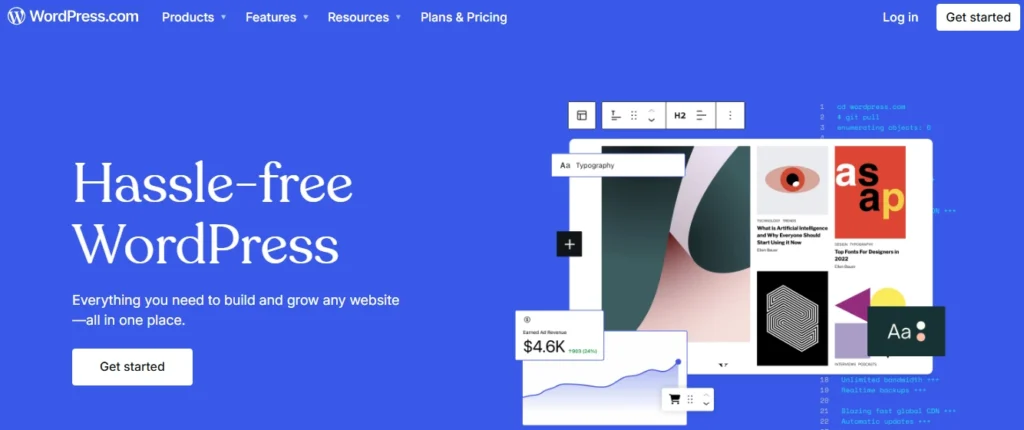
Good news for WordPress.com users: plugin installation is now available on every paid plan, starting with Personal, not only on Business and Commerce as it used to be. The free plan still can’t install plugins and shows WordPress.com ads to visitors.
Kajabi vs WordPress Pricing
Kajabi has three plans, and paying yearly saves about 20%. Every plan includes unlimited landing pages, funnels, and marketing emails; the plans differ mainly in products, contacts, websites, and admin seats.
| Kajabi plan | Billed annually | Billed monthly | Key limits |
|---|---|---|---|
| Basic | $143/mo (save $432/yr) | $179/mo | 5 products, 2,500 contacts, 1 website, 1 community, 2 admin users |
| Growth | $199/mo (save $600/yr) | $249/mo | 50 products, 25,000 contacts, 1 website, 1 community, 11 admin users |
| Pro | $399/mo (save $1,200/yr) | $499/mo | Unlimited products, 100,000 contacts, 3 websites, 3 communities, 26 admin users |
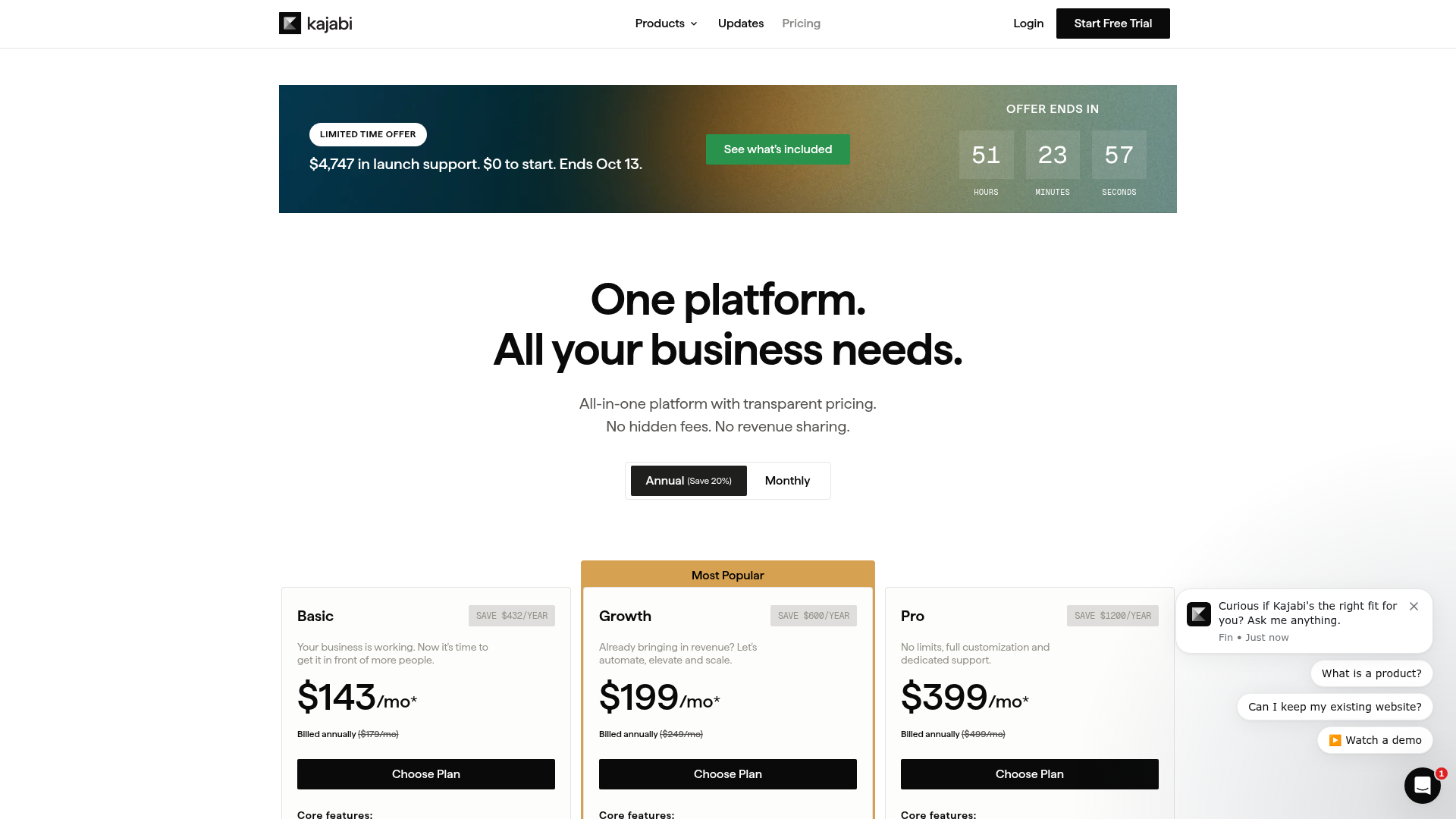
Two costs sit outside the plan price. Kajabi Payments charges card fees of 2.9% + $0.30 on Basic, 2.8% + $0.30 on Growth, and 2.7% + $0.30 on Pro (US rates). If you use a third-party payment provider instead, Kajabi adds 2% on Basic, 1% on Growth, or 0.5% on Pro. Extra contacts come in blocks of 25,000 for $125 a month.
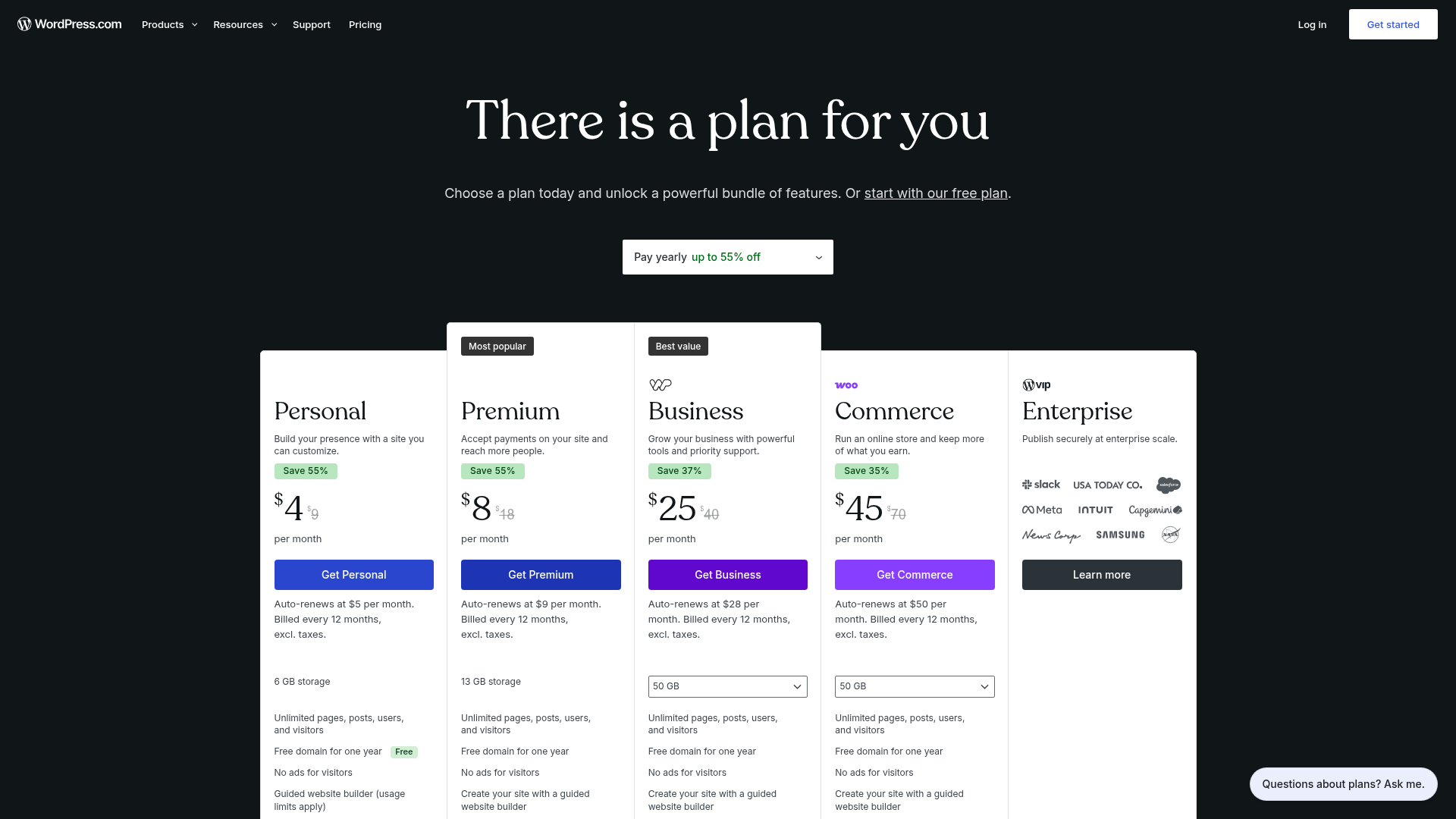
WordPress.com has a free plan and four paid plans. The yearly prices below are first-year prices; each plan auto-renews at a higher yearly rate, which is easy to miss.
| WordPress.com plan | Billed yearly (first year) | Renews at | Billed monthly | Payments fee* |
|---|---|---|---|---|
| Free | $0 | $0 | $0 | 10% |
| Personal | $4/mo | $5/mo | $9/mo | 8% |
| Premium | $8/mo | $9/mo | $18/mo | 4% |
| Business | $25/mo | $28/mo | $40/mo | 2% |
| Commerce | $45/mo | $50/mo | $70/mo | 0% |
*WordPress.com transaction fee on standard payments, charged on top of the usual card processing fee.
Self-hosted WordPress has no plan price at all, but the total is never zero. You pay for hosting and a domain, and for a course business you usually add a paid LMS plugin, a membership or checkout tool, and an email platform. Add those up before you assume WordPress is the cheap option.
Setup and Ease of Use
Kajabi wins on speed to launch. You sign up, pick a theme, and build your product, sales page, and checkout in the same dashboard. The standard trial runs 14 days, and a few features, such as sending emails from automations and bulk contact imports, stay locked until you activate a paid plan.
WordPress.com is the next easiest: hosting, security, and updates are handled for you, and a guided AI website builder is included. Self-hosted WordPress takes the most work. You choose a host, install WordPress, pick a theme, and then install and configure each plugin your business needs.
Built-In Tools vs Plugins
Kajabi bundles the tools most creators need: website, landing pages, funnels, email marketing, checkout, and a contact CRM. Pro also includes a branded mobile app, which Kajabi values at $199/month.
WordPress gives you a far bigger toolbox, with over 60,000 plugins on WordPress.com paid plans, but you assemble it yourself. For courses, you’ll need an LMS plugin; we compared two popular ones in WP Courseware vs LearnDash. For selling, many creators bolt on a hosted cart, like the one in our ThriveCart review.
- More control: any feature you can imagine probably exists as a plugin.
- More upkeep: each plugin has its own updates, settings, and sometimes its own subscription.
- More risk on self-hosted sites: plugin conflicts and outdated plugins are the most common cause of broken pages, so backups matter.
Which One Is Better for SEO?
WordPress has the edge here. You get full control over URLs, schema, and site structure, plus mature SEO plugins such as Rank Math and Yoast. It is the safer choice if organic search is your main traffic source.
Kajabi covers the SEO basics, such as page titles and meta descriptions on pages and blog posts, and its hosting is handled for you. It’s fine for ranking a sales page or a modest blog, but it doesn’t match WordPress’s depth for a content-heavy site.
Support
Kajabi runs a help center, video guides, and a weekly live Q&A, and Pro adds dedicated support. With WordPress.com, every paid plan includes support from the Happiness team, and Business and Commerce get 24/7 priority support. Self-hosted WordPress has no vendor support at all; you rely on your host, plugin developers, and the community forums.
Who Should Pick Kajabi
- You sell courses, coaching, or memberships and want one login for everything.
- You’d rather pay more each month than manage plugins, hosting, and updates.
- You want unlimited marketing emails and funnels without extra tools.
Who Should Pick WordPress
- You mainly blog or publish and need strong SEO control.
- You’re on a tight budget and can do some setup yourself.
- You want to own the code and data and extend the site in any direction.
A common middle path: keep your blog on WordPress and run your products on Kajabi. Kajabi supports custom domains, so you can point a subdomain at it while WordPress stays on your main domain.
FAQs on Kajabi vs WordPress
Usually, yes. Kajabi starts at $143/month billed annually, while WordPress.com paid plans start at $4/month for the first year. A self-hosted WordPress course site with a paid LMS plugin, checkout, and email tool can narrow the gap, so price out every piece first.
Kajabi has no free plan, but it offers a 14-day free trial. Every plan also comes with a 30-day money-back guarantee, and you can upgrade, downgrade, or cancel at any time.
No. Kajabi takes no revenue share. You pay card processing fees with Kajabi Payments (from 2.9% + $0.30 on Basic in the US), or an extra 0.5% to 2% if you use a third-party payment provider.
Yes. WordPress.com now allows plugin installation on every paid plan, starting with Personal at $4/month billed yearly. Only the free plan can't install plugins.
Yes. Many creators keep WordPress for the blog and SEO and use Kajabi for courses and checkout. Kajabi supports custom domains, so a subdomain such as courses.yoursite.com can point to Kajabi.
WordPress, for most sites. It offers full control over URLs and structure plus plugins like Rank Math and Yoast. Kajabi handles basic page titles and meta descriptions, which is enough for sales pages and a small blog.
Winner: Kajabi for Course Creators
If your goal is to sell courses, coaching, or memberships, Kajabi is the better platform. You pay more each month, but you get the product, website, email, and checkout in one place, with no revenue share and no plugin upkeep. If you mostly publish content, or every dollar counts, WordPress is the smarter buy.

Kajabi wins for creators who sell courses, coaching, or memberships. It replaces a stack of plugins with one dashboard and takes no cut of your sales. WordPress stays the better choice for blogs and budget sites.
Pros
- Courses, communities, coaching, and memberships built in
- Unlimited marketing emails, landing pages, and funnels on every plan
- No revenue share on sales
- 14-day free trial and 30-day money-back guarantee
Cons
- Starts at $143/month billed annually, far above WordPress
- Less design and SEO control than WordPress
- Third-party payment providers add a 0.5% to 2% fee
From $143/month billed annually ($179 monthly)
Start Kajabi free trial


Comments
Be the first to leave a comment.